
Connected Vehicle Data
Use available Geotab mileage and vehicle information to support fleet records and maintenance planning.
FleetFusion For MyGeotab
Bring vehicle records, drivers, maintenance, documents, workshop jobs and coaching into the workspace your team already uses. FleetFusion connects Geotab data with the daily work of running the fleet.
Once the add-in is configured for your organization, FleetFusion opens from the MyGeotab menu and uses your existing session. The interface uses Geotab’s own design components, helping the team move between the two without learning an unrelated layout.
Use available Geotab mileage and vehicle information to support fleet records and maintenance planning.
Manage FleetFusion work orders, documents and workshop records alongside the information your team uses in MyGeotab.
Available actions follow the configured security clearances and enabled FleetFusion modules. Give drivers and managers the access appropriate to their roles.
FleetFusion.AI, the AI-powered fleet and asset management platform from FleetSafe Group, has joined the Geotab Marketplace Order Now Program. Customers can now order FleetFusion directly through the Marketplace, with billing handled by their existing Geotab partner.
Choose from Core, Professional and Enterprise levels. Our onboarding team helps connect your organization, vehicles, users and enabled modules inside MyGeotab.
Order Now On Geotab MarketplaceReview the fleet’s compliance and vehicle status before opening individual records. Dashboard figures give managers a starting point for investigating missing evidence, defects and work that needs follow-up.
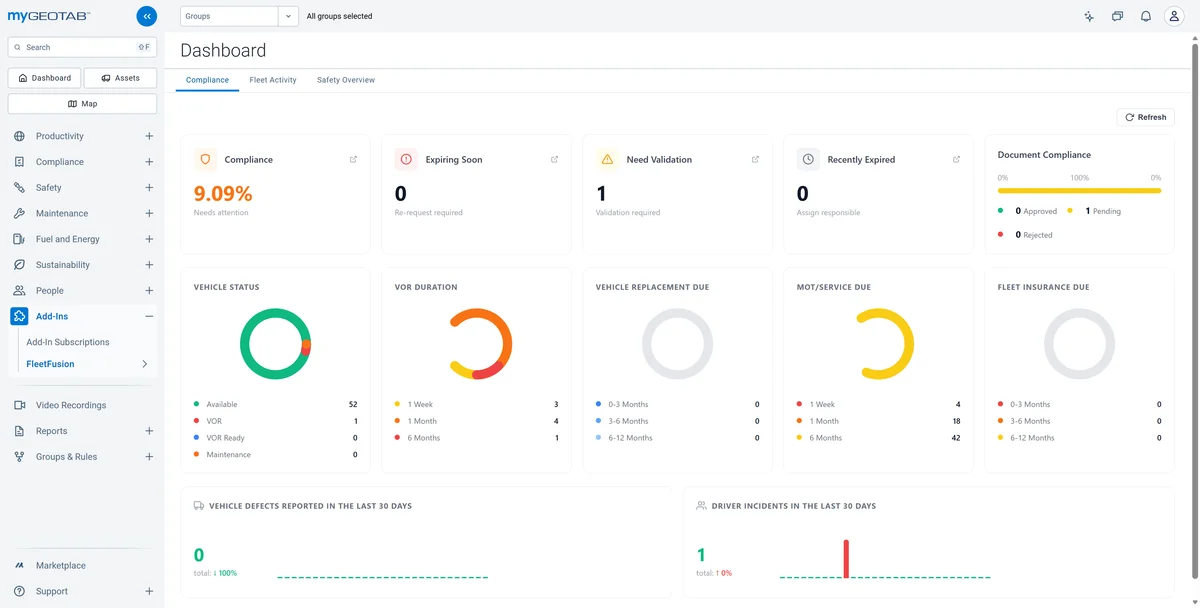
Open the vehicle record for assignments, compliance, documents, defects and costs. Keep the operating context attached to the vehicle when it moves between drivers, fleets or depots.

Review driver details, vehicle assignments and compliance requirements. Keep licence information and supporting records beside the person’s operational history.

Configure service routines using mileage, engine hours or calendar triggers. Review due work and use connected Geotab readings to support the service schedule.

Bring defects, services, recalls and certification tasks into a shared queue. Filter open and in-progress work so the next action is easier to find and follow.

Move from a booking into a job card. Record complaint, cause and correction alongside parts, technician time, fees and outside work, then retain the completed repair record.

Receive documents in a central inbox. Check the suggested type and linked record, correct the details where needed and approve the evidence so it can be found again.

Review available camera events with their vehicle, date, location and severity. Use the footage to support a coaching conversation or an incident investigation.

Open the driver’s session, review relevant events and record the discussion. Track the session’s progress and driver acknowledgement rather than losing the follow-up in email.

Our onboarding team helps map your organization, users, vehicles and enabled modules. Start with a representative group, check permissions and data connections, and walk through the tasks your managers and drivers will use.
Explore FleetFusion Onboarding → Read The Geotab User Guide →
The configured add-in uses the existing MyGeotab session to sign the user into FleetFusion. Your organization and access need to be set up first.
Work orders created here are FleetFusion records. They are managed in the add-in; the integration does not imply that they write back into Geotab’s native maintenance work orders.
Yes. The add-in uses configured security clearances and module permissions. Driver access supports tasks such as inspection submissions, fuel logs and incident reporting where permitted.
FleetFusion Vision provides a separate video offering for compatible cameras and recorders. Review the device models and required viewing or retrieval functions as part of onboarding.
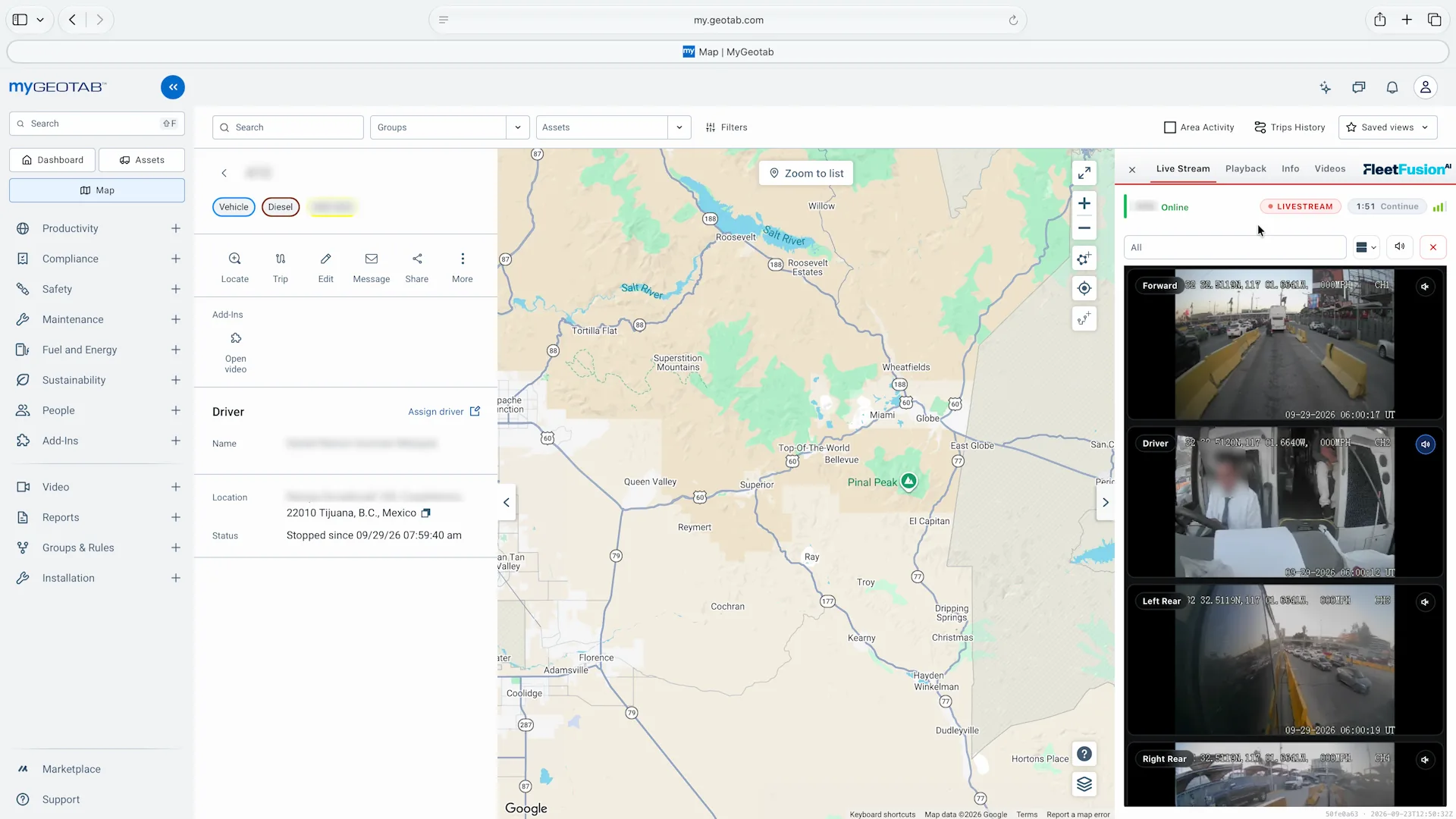
Open connected camera views from the vehicle workspace in MyGeotab. Review the road, driver and additional available channels while keeping the vehicle’s map and details alongside them.
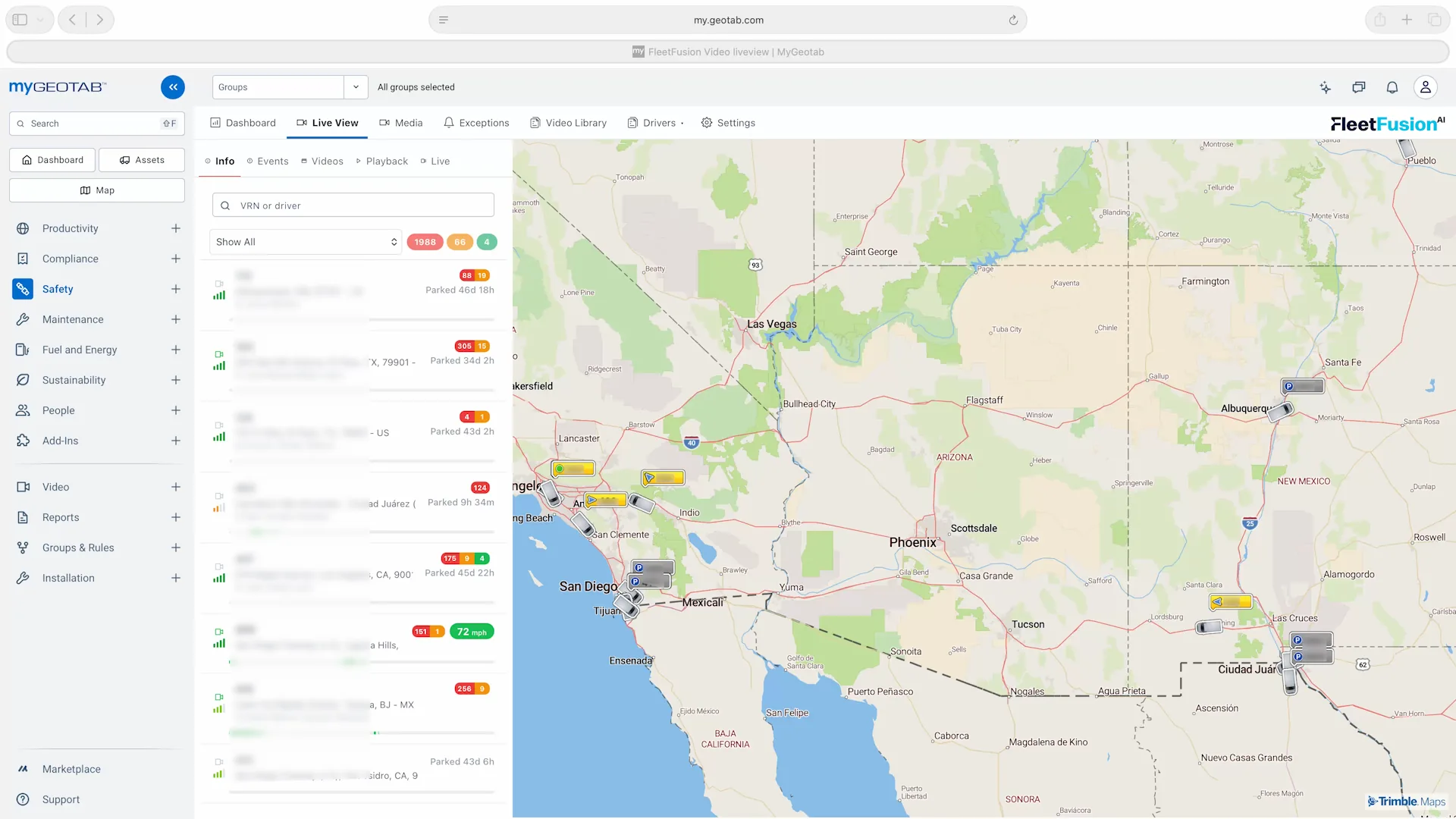
Bring FleetFusion Vision’s vehicle list, map and video tools into MyGeotab. Move between live view, media, events and video workflows without moving to a separate fleet workspace.