FleetFusion
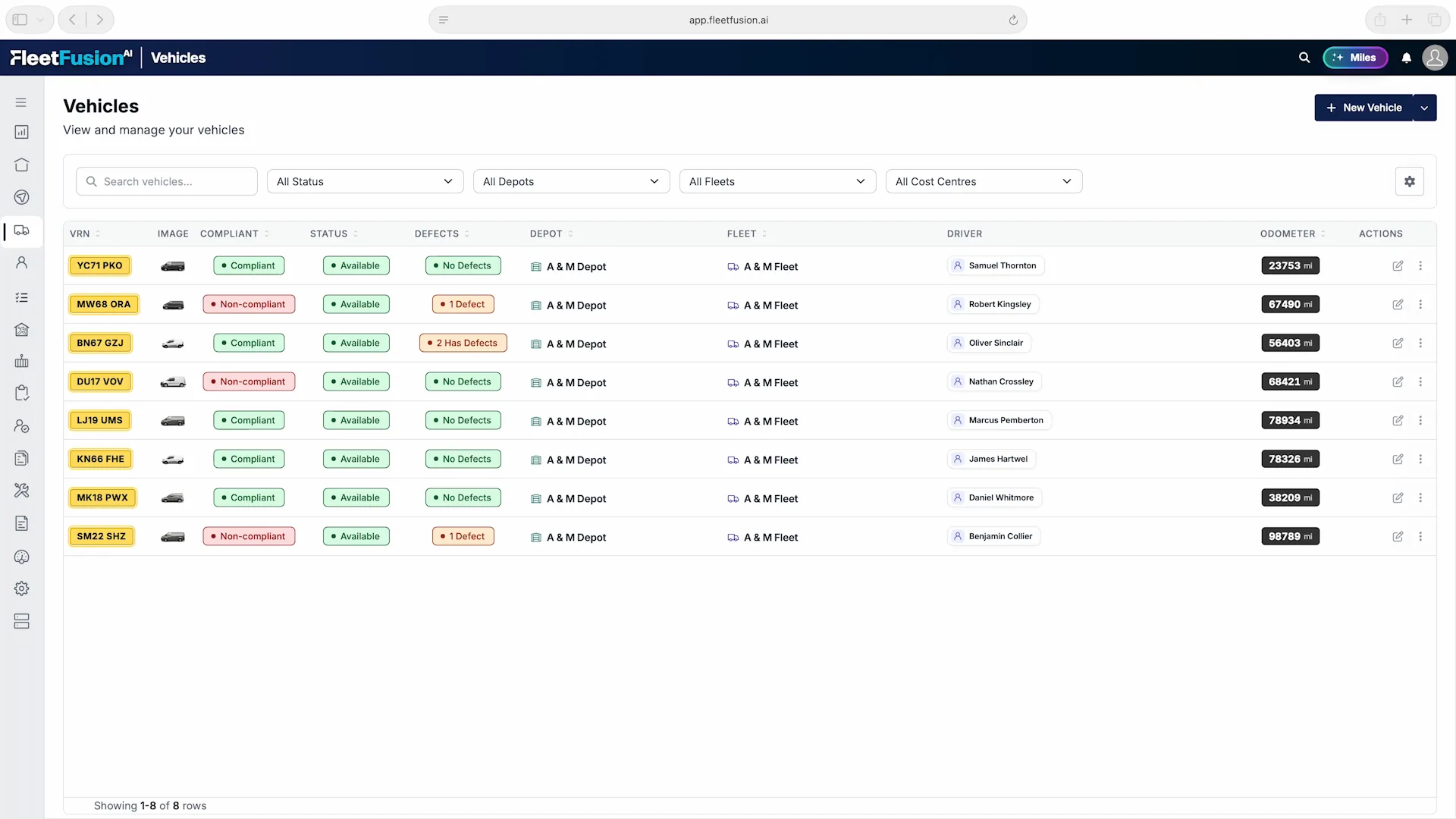
Fleet Management For US Operations.
Connect vehicles, drivers, cameras, maintenance and routes. Start with your operational needs, then select the hardware and services that fit your US fleet.
One View Of A Busy Fleet.
FleetFusion brings the work together across locations, vehicles and teams. Explore a connected approach to safety, dispatch and vehicle availability.
US Office. US-Based Team.
Our US-based teams are here for sales, support and installation, giving your fleet a local team to work with.
1264 Hawks Flight Ct.Suite 200
El Dorado Hills, CA 95762
United States
Know What Needs Attention. Know Who Owns It.
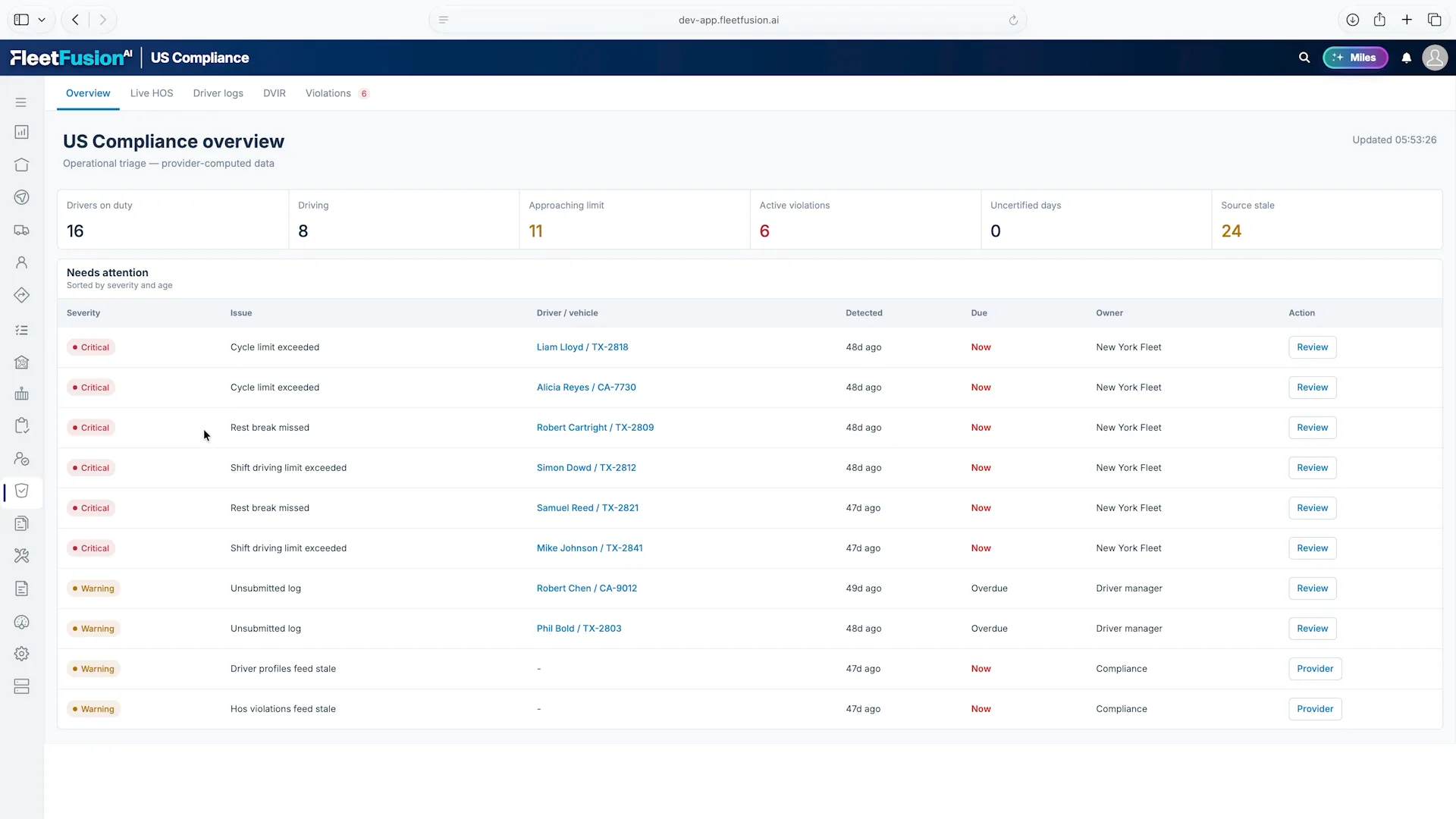
Bring hours-of-service information, driver logs, violations and inspection records into one operational workspace. The US Compliance overview turns provider-supplied information into a focused review queue for your team.
- See The Current Picture. Review drivers on duty, drivers approaching a limit, active violations and uncertified days.
- Prioritize Follow-Up. See issues ordered by severity and age, with the driver or vehicle, due status and responsible team alongside each item.
- Check The Source. Stale-feed indicators help distinguish an outstanding issue from information that needs updating from the connected provider.
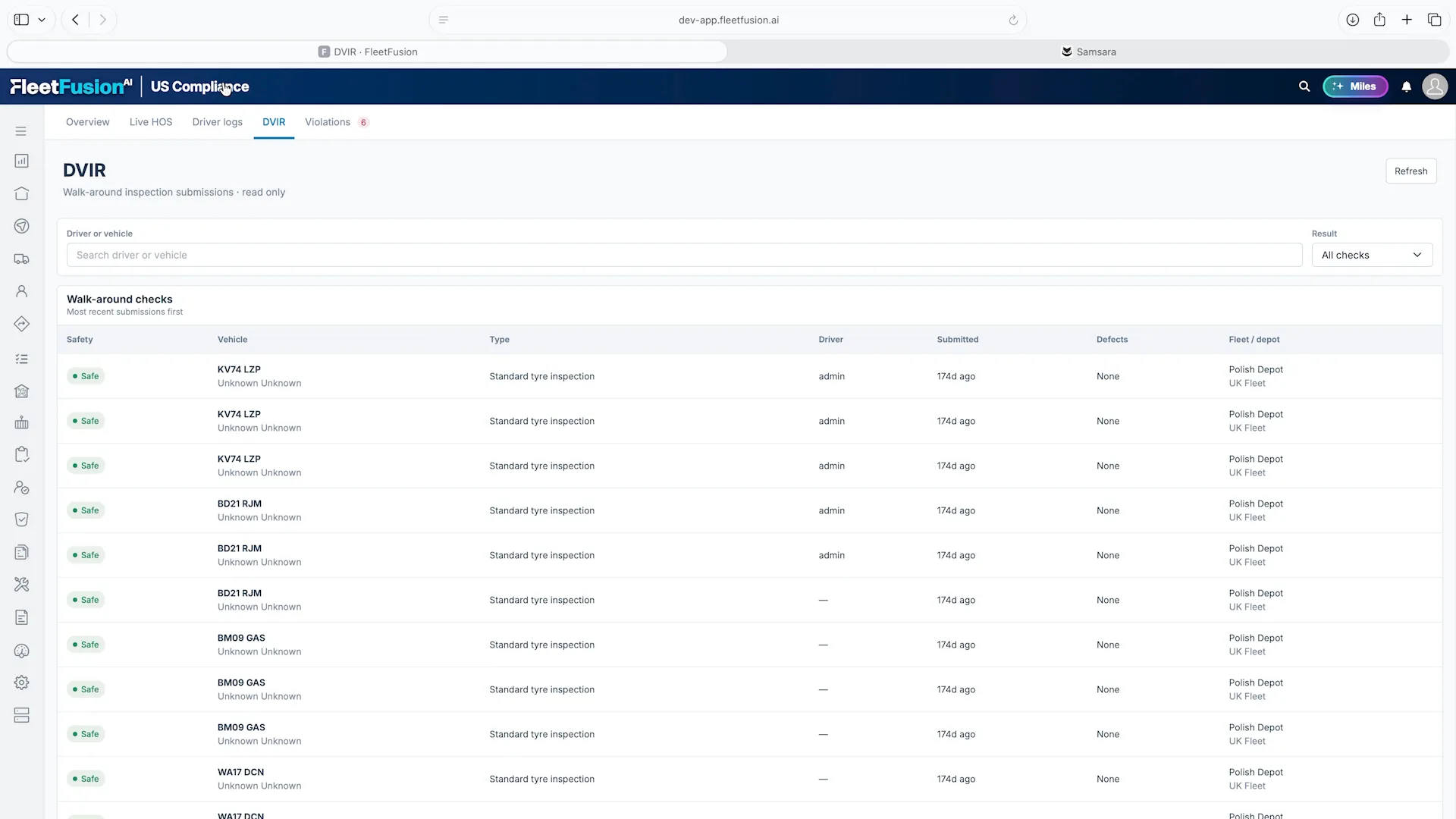
Keep Inspection Results In The Compliance View.
Review walk-around submissions from the US Compliance workspace. Search for a driver or vehicle and filter by result to focus on the inspection records your team needs to review.
- See the recorded safety result and reported defects alongside each vehicle.
- Keep the inspection type, submitting driver and submission time together.
- Identify the fleet and depot associated with each check.
This read-only view brings submitted checks together for review. Drivers complete their inspections in the app, while the wider FleetFusion workflow keeps reported defects connected to follow-up.
Safety. Uptime. Route Execution.
Build around the part of your operation that needs attention first, with a clear path into the wider platform.
Check The Details Before Rollout.
Confirm device models, cellular connectivity, installation needs, navigation coverage and enabled features for your vehicles and operating areas. Existing equipment should be checked by exact model and firmware.
Where ELD or other regulated services are required, confirm the specific provider, service and applicable requirements during scoping.