

Fuel Card Integration
Connect Shell fuel-card information with your fleet records, keeping fuel spending alongside the vehicles and operating costs your team manages.
Run the fleet
FleetFusion runs your fleet’s life cycle in one place, from the day a vehicle is acquired to the day it is sold, so every record, cost and check sits on the vehicle it belongs to.
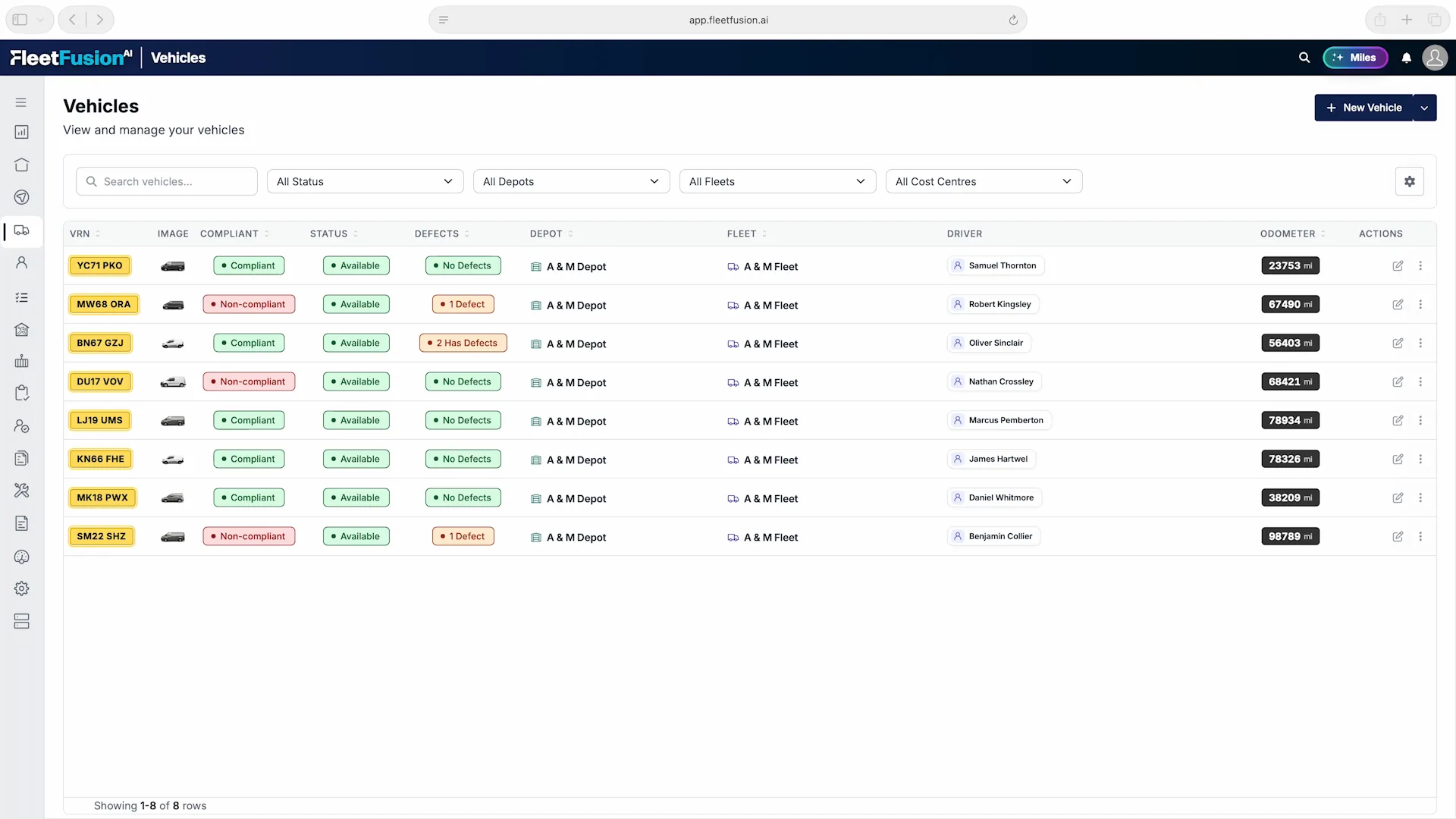
Bring vehicle status, compliance, defects and driver assignments into one clear list. Search for a vehicle or narrow the view by status, depot, fleet and cost center to focus on the part of the operation you manage.
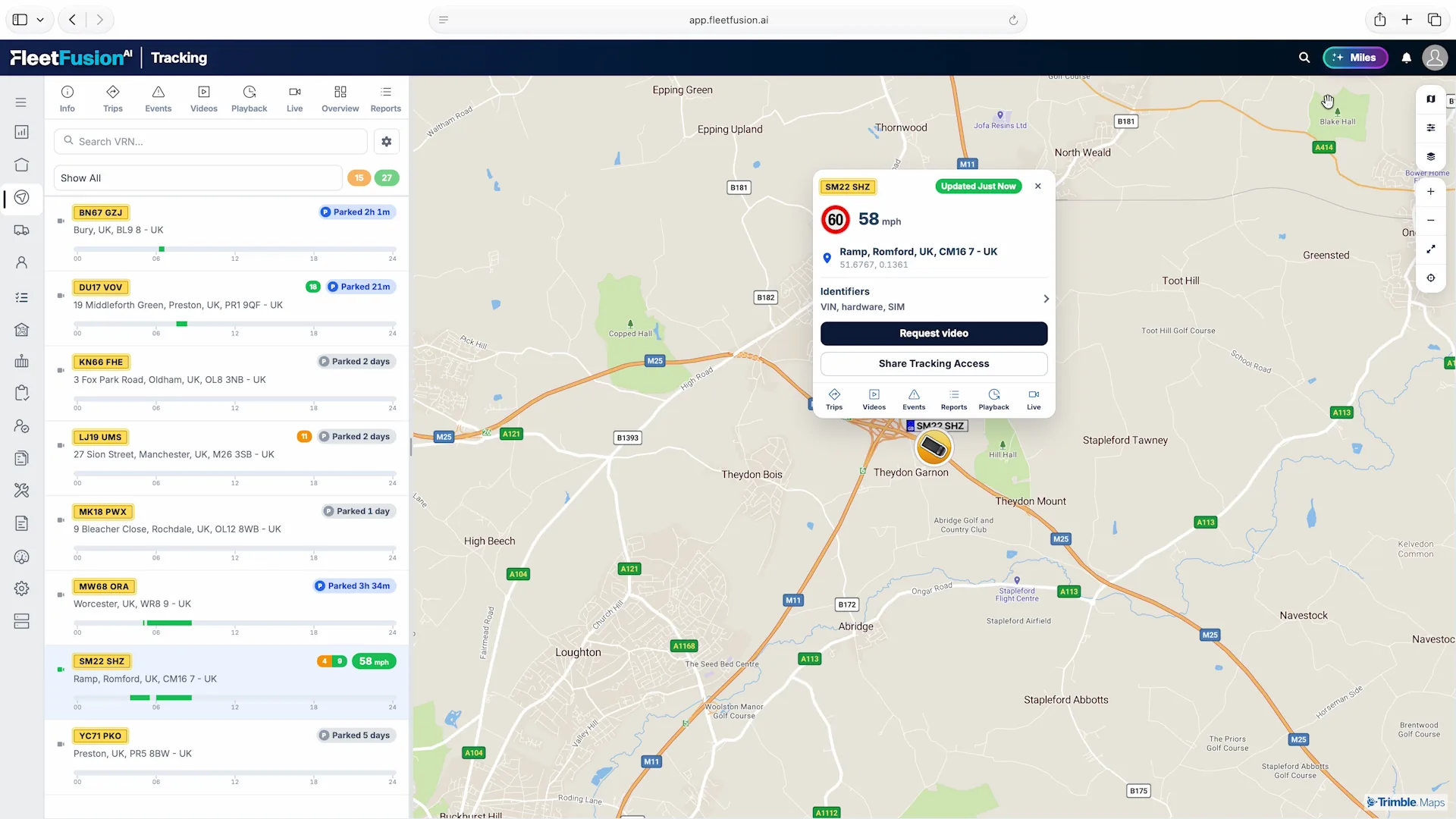
Connect the vehicle record to what is happening on the road. See your fleet on the map, find a vehicle by registration and review its latest location, moving or parked status, speed and daily activity.
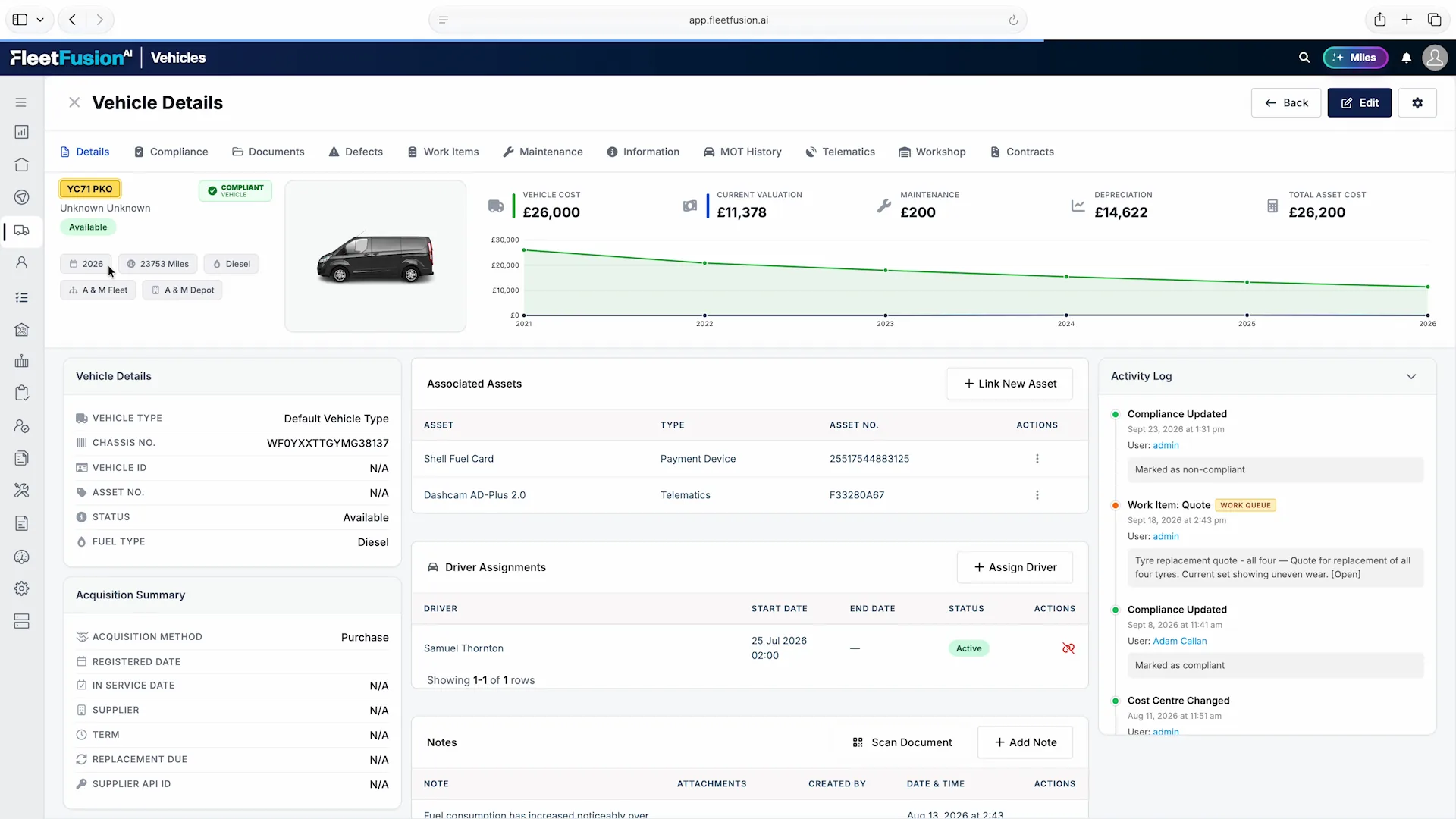
Open a vehicle to see its status, costs, linked equipment and assigned driver together. Move between compliance, documents, defects, work items, maintenance, telematics, workshop records and contracts without losing the vehicle context.
Bring fuel-card and leasing connections into the same platform as your vehicles, costs and maintenance records. FleetFusion integrates with Shell, Coast and Lex Leasing to help your team manage the vehicle and the services around it.
Connect Shell fuel-card information with your fleet records, keeping fuel spending alongside the vehicles and operating costs your team manages.

Bring Coast fuel-card information into FleetFusion so your team can review fuel spending as part of the wider vehicle cost picture.

Connect leased vehicles to maintenance workflows, with defects, work orders, estimates and invoices exchanged with the provider.
Raise a vehicle defect or work order and pass it into the connected lease-provider workflow, keeping the work associated with the right vehicle.
Send and receive estimates between FleetFusion and the lease provider so both teams can work from the details of the proposed repair.
Exchange invoice information in both directions and keep the cost connected to the work order and vehicle record.
Unified work lists bring together everything that needs doing across the fleet. Open a work order against anything on the platform and assign it to a colleague, who is notified straight away.
Multi-depot, multi-cost-centre structures and granular user access mean each team sees the vehicles, drivers and costs it is responsible for.
Record the vehicle type, depot, fleet and cost center, then connect its driver assignments, documents and supported devices. Give each team the same starting point when the vehicle enters service.
Use checks, defects, service schedules and work orders to understand what needs attention. Tracking, video and connected vehicle data add operational context without replacing the maintenance record.
Keep fuel, fines, tolls, incidents and maintenance information against the vehicle. Review its history when deciding whether to repair, reassign or replace it, and retain the relevant records at disposal.
For UK vehicles, registration-based build information and MOT history depend on supported lookup services and available records. Agree the appropriate vehicle identifiers and data sources for US and European deployments.
Follow A Defect Through To Repair →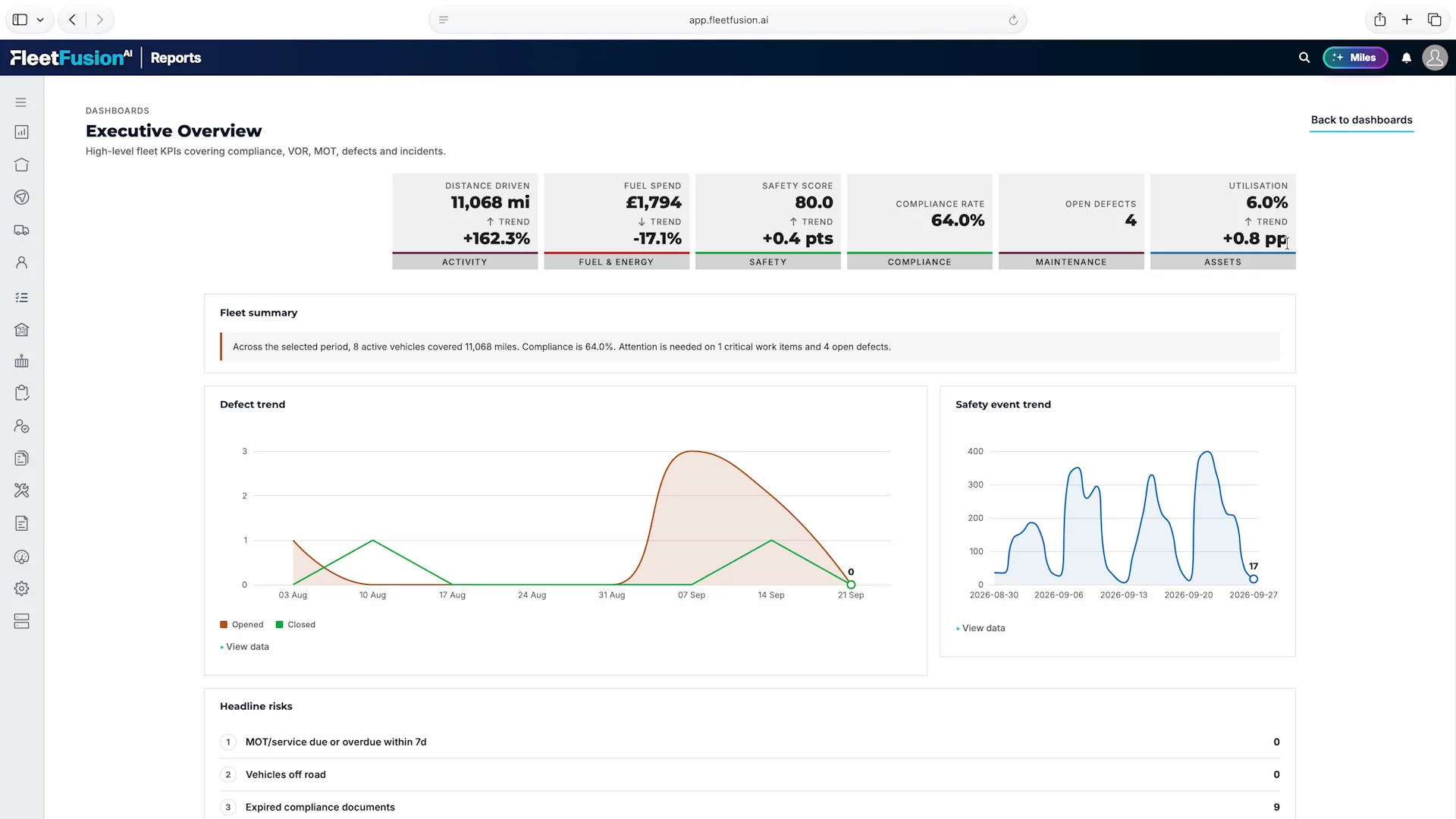
Bring distance, fuel spend, safety, compliance, defects and utilization into one management view. Review headline risks alongside trends, then follow the issue into the records and teams responsible for it.
Before assigning a vehicle, your team needs more than its location. Is it available? Are documents current? Is there an open defect? Who last drove it? FleetFusion brings those answers into the vehicle record, alongside acquisition details, costs and telematics.
Information Becomes Action
Keep current and historical driver assignments, linked trailers or other assets, depot and fleet information together. A change of driver becomes a recorded handover rather than a lost detail.
Review maintenance, valuation, depreciation and total asset cost from the vehicle summary. Open the underlying record when a cost or status needs explanation.
Use the activity timeline to follow changes, then move into defects, documents or work items. The record remains useful from acquisition through service and eventual replacement.
Turn defects into work orders, schedule preventative maintenance by miles or months and run multi-bay workshops with parts and bookings.
Learn more →Stay compliantReview configured compliance tasks and evidence across vehicles, drivers, fleets and depots, with regional requirements agreed for your operation.
Learn more →Control costsAssign vehicles, drivers and costs to contracts with end-to-end visibility of the contract and customer life cycle, plus AI market-sector warnings.
Learn more →Run the fleetDrop in documents and AI reads them and links them to the right vehicle or order number, with full retention for audits.
Learn more →Acquisition, vehicle management, defects, preventative maintenance and service, driver management, compliance, documents, fuel, contracts and disposal, all in FleetFusion.
Supported UK registration lookup services can supply build information and MOT history. Availability depends on the vehicle and source; US and European data requirements are scoped separately.
Yes. FleetFusion supports multiple depots and cost centres with granular user access.