
Report And Triage
A driver reports a defect with notes and supporting evidence. The responsible team reviews the issue, assesses urgency and decides whether the vehicle should remain in service.
Run the fleet · FleetFusion
Defects reported by drivers flow straight into maintenance and the workshop, so nothing is missed between the walkaround check and the repair.
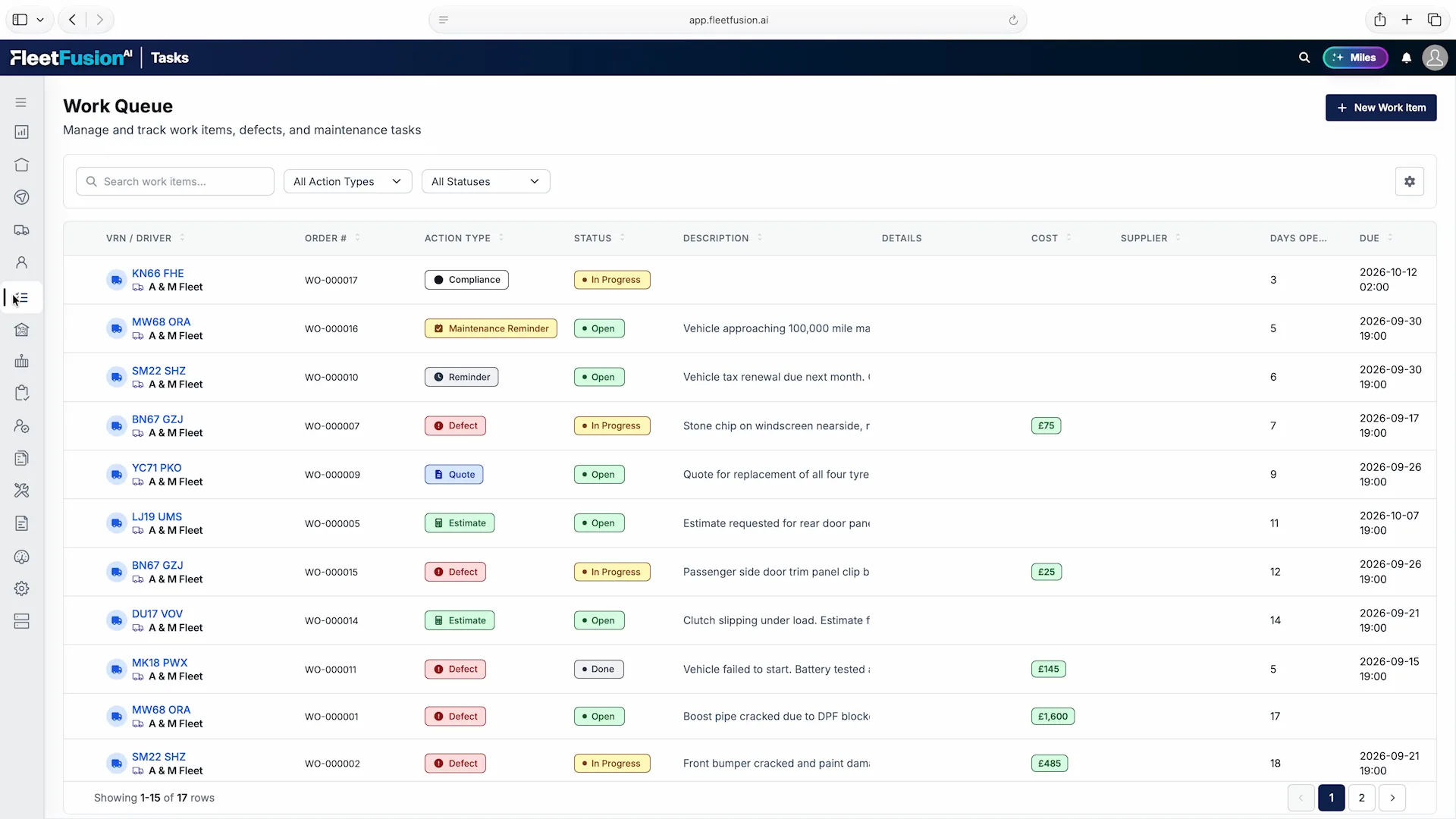
Driver checks arrive with a quick summary of any defects. Each one can become a work order that is assigned to a colleague and tracked to completion.
Set service programmes such as every 6,000 miles or 6 months, whichever comes first. Mileage from telematics, including Geotab, drives the schedule into the calendar.
Run multi-depot, multi-bay workshops with parts inventory and bookings, whether the work is done in your own workshop or by an external one.
Maintain a register of the tires your fleet owns, with serial numbers, brands, sizes, purchase costs and fitment status in one place. See which vehicle each tire is currently fitted to, so the record stays connected to the fleet you manage.

A driver reports a defect with notes and supporting evidence. The responsible team reviews the issue, assesses urgency and decides whether the vehicle should remain in service.
Create a work order, assign responsibility and book the required workshop time. Bring scheduled maintenance and reported defects into the same planning conversation, whether the work is internal or outsourced.
Keep job details, parts and repair evidence with the vehicle history. Review completed work and outstanding issues before deciding that the vehicle is ready to return to service.
The AI Diagnostics Center adds engine fault codes and available vehicle data to the investigation. It helps the team understand possible causes; inspection and repair decisions remain with qualified personnel.
Explore The AI Diagnostics Center →
Bring recorded tire condition warnings into one fleet view. Review tires approaching configured limits and outstanding inspection needs, then follow through to the tire or vehicle record for the details.

Review recent, due and overdue tire inspections with the vehicle, submission date and recorded severity. Filter the list to focus on the checks that need follow-up.

See the assigned service program, next due date and mileage requirement on the vehicle record. Keep overdue work visible alongside the maintenance history so the team can plan the next service with the vehicle’s context to hand.

Open a vehicle to review outstanding defects alongside its walkaround history. See the driver, submission time, result and available photos without losing sight of the vehicle’s wider maintenance position.

Record the work type, priority, due date, description and estimated cost alongside the assigned vehicle and responsible person. Keep supplier, workshop, notes and attachments close to the task as it moves through its status.
A lightly used van and a machine running all day should not depend on the same service reminder. FleetFusion supports mileage, engine-hours and calendar triggers. When more than one applies, the first threshold reached makes the service due.
Information Becomes Action
Set advance reminders by remaining miles, engine hours or time. Apply routines to individual vehicles or a fleet so new vehicles in that fleet inherit the schedule.
Automatic work items put scheduled service alongside defects and recalls. Arrange a workshop booking and reserve the bay before the vehicle arrives.
Convert a checked-in booking to a job card. Record complaint, cause and correction, technician time, parts, fees and outside work. Close the job with its work and costs together.
The workshop dashboard connects bookings, job cards and vehicle availability.
Open the screenshot to explore the details at full size.

Drivers complete digital walkaround checks in minutes with photos, notes and signatures. Failed items raise defects for the workshop instantly.
Learn more →Run the fleetManage every vehicle from acquisition to disposal: defects, maintenance, workshop, fuel, documents and contracts in one AI-native fleet platform.
Learn more →Decide with AIFleetFusion opens inside MyGeotab and uses your Geotab data for mileage, maintenance scheduling, driver insight and video.
Learn more →ConstructionField servicesWaste managementPlant & heavy machineryPublic sector & local authority
Yes. Service programmes can be set by miles or months, whichever comes first, and telematics mileage drives the schedule.
Yes. Workshops can be internal or external, with bookings and parts inventory.
Fault alerts from connected vehicles and defects from driver checks can both be turned into work orders.