
Shared Records
Keep assignments, documents, costs, activity and outstanding work connected to the vehicle, driver or asset they describe.
The FleetFusion Platform
Bring vehicles, drivers, assets, compliance, maintenance, routing and evidence into a platform built around your team.
FleetFusion connects the records and daily tasks that keep an operation running: vehicles, drivers, assets, tracking, video, inspections, compliance, maintenance, fuel and delivery work. Instead of piecing together separate systems, your teams can follow the same vehicle or driver from the first assignment to the latest action.
A driver's walk around check can become a defect for the fleet office to review and a work order for the workshop. An incident can be considered alongside its journey, driver assignment and camera footage. A delivery order can move through RouteFusion planning, dispatch, navigation and proof of delivery.
Keep assignments, documents, costs, activity and outstanding work connected to the vehicle, driver or asset they describe.
Give depot teams, fleet managers, workshop staff and authorized leadership the information relevant to their responsibilities.
Use FusionOracle to surface issues and connect the wider picture. Ask Miles questions using the information your user is allowed to access.
The modules below share records and context. Explore the working views to see how the platform brings tasks together.
Bring vehicle and asset assignments, tracking, fuel, tolls, fines, incidents and operating costs into the same working view. Open a record to understand its history and what needs attention next.
Explore Fleet Management →Connect driver records, license checking, AI Driver ID, behavior monitoring and coaching with the vehicles and events involved. The driver app gives people a practical way to complete checks and provide documents.
Explore Driver Coaching →Manage requirements for depots, fleets, vehicles, drivers and assets. Bring inspections, evidence, expiry dates, tachograph and ELD workflows into context, with the AI compliance co-pilot supporting review and follow-up.
Explore Compliance →Review defects, create work orders and schedule service around mileage, time and availability. Combine workshop records with EBPMS and diagnostic data; the AI Diagnostics Center helps interpret engine fault codes and vehicle data.
Explore Maintenance →Turn orders into scheduled routes, dispatch the work and give drivers stop details and navigation. Electronic proof of delivery and planned-versus-actual review help the office follow what happened on the route.
Explore RouteFusion →Keep fleet documents, inspection evidence and connected dashcam or DVR video close to the records they support. Run reports on demand or schedule them for the people who need regular updates.
Explore Documents & Evidence →Six connected areas bring vehicles, drivers, compliance, maintenance, deliveries and evidence into one operational view. Shared records keep your teams working from the same information, with FusionOracle watching for emerging issues and Miles helping users find answers using the data they can access.
AI Oversight Across Your Operation
Spot emerging risks. Prioritize action. Alert your team before issues escalate.

Ask Questions About Your Fleet
Answers use only data your user can access.
Six Connected Areas. Tap A Module To Explore.
Every vehicle. Every operating cost.
Support your people on every journey.
One view of every responsibility.
From reported issue to resolved work.
From the first order to the final stop.
Information connected to the work.
One connected record, from the first report to the next action.
Connected Workflows
One connected record, from the first report to the next action.
FusionOracle provides AI oversight. Miles AI Chat Agent answers questions using only data the user can access. Connected modules cover Vehicles & assets: Fleet & asset management · tracking; Fuel · fines · tolls · incidents; Video telematics · EBPMS · tires. Drivers & safety: Driver records · license checking; Behavior monitoring · driver coaching; Tachograph · ELD · driver compliance; Driver assignments · AI Driver ID. Compliance: AI-powered compliance co-pilot; Depots · fleets · vehicles · drivers · assets; Compliance planning & management; Tasks · evidence · alerts. Maintenance & workshop: AI-Powered Diagnostics Center; Walkaround checks · defect management; Work orders · workshop management; Service & maintenance scheduling; Repairs · suppliers · approvals. RouteFusion: TMS · orders · route scheduling; Live dispatch · door-to-door navigation; ePOD · delivery progress; Planned vs. actual performance. Documents & evidence: Fleet-wide document management; Documents linked to operational records; Compliance evidence & service history; Connected Dashcam and DVR Video Evidence; On-Demand & Scheduled Report Engine. CanFusion supports fuel usage prediction; SecureFusion supports video integrity verification.
Connect users, vehicles, drivers and assets to a cost center, depot and/or fleet. Roles determine what each user can see and do within that scope, so a local team can focus on its work while authorized managers oversee multiple locations.
Vehicle, driver and asset types help determine which requirements apply. A depot's compliance records are different from a driver's license or a vehicle's inspection history; FleetFusion keeps them distinct while showing how they relate.
A vehicle can bring together fuel cards, tracking devices, API telematics, OEM CANbus data, video equipment, TPMS and EBPMS. A driver record connects the license, app and assignments, giving each team the relevant context.
FleetFusion follows the way your business is organized. Start with the organization and its cost centers, depots and fleets; scroll to see how users, roles, record types, connected equipment and compliance fit together.
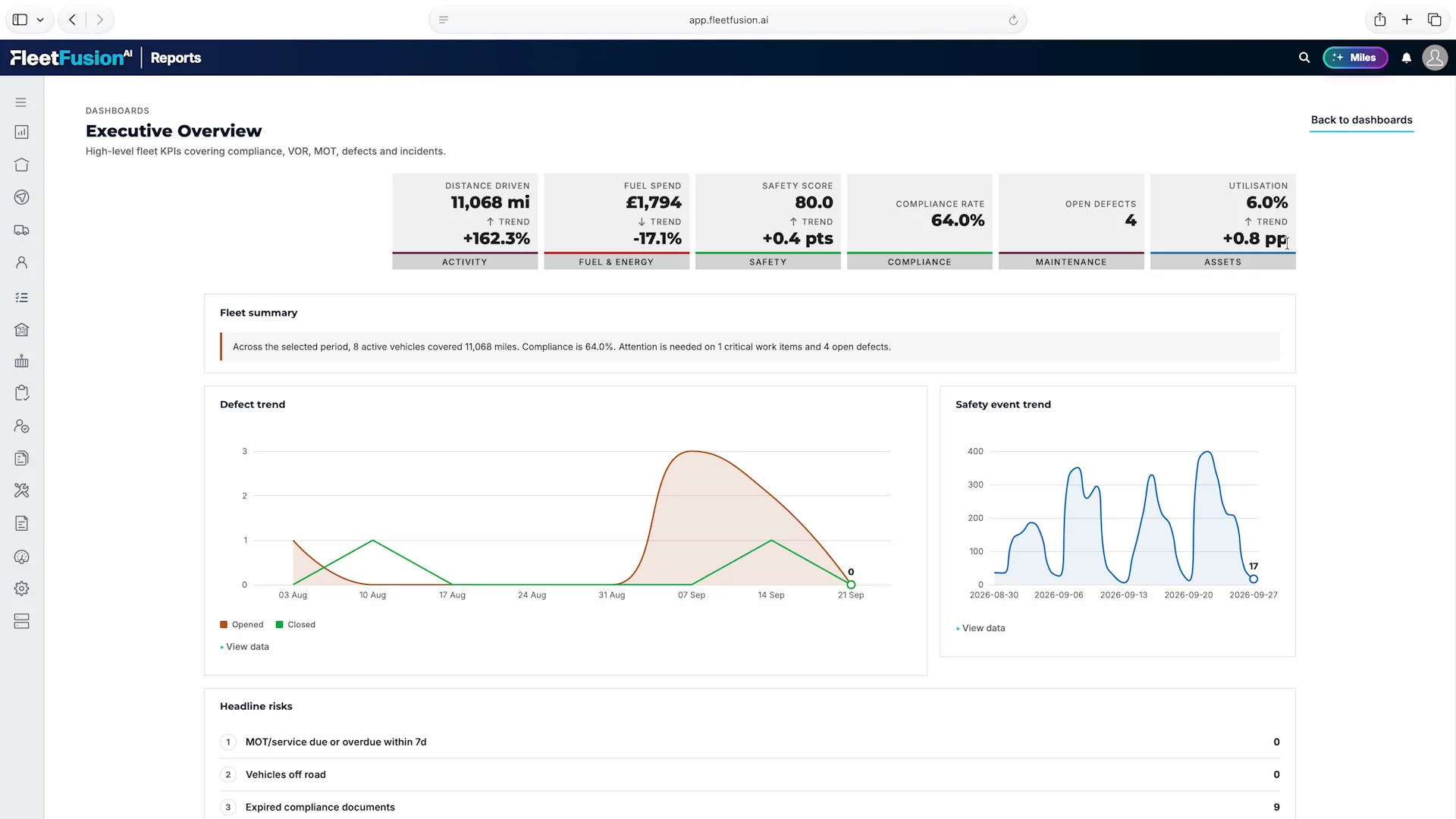
Bring distance, fuel spend, safety, compliance, defects and utilization into one management view. Review headline risks alongside trends, then follow the issue into the records and teams responsible for it.
Miles sits beside the working view, ready to help your team explore FleetFusion data. Start with a suggested question or ask in your own words, using the information your signed-in user is authorized to access.

Explore the working screens your team uses to manage vehicles, drivers, compliance, tracking, video and fuel. Each view brings the relevant records and next steps together, with a dedicated solution page when you want to go deeper.
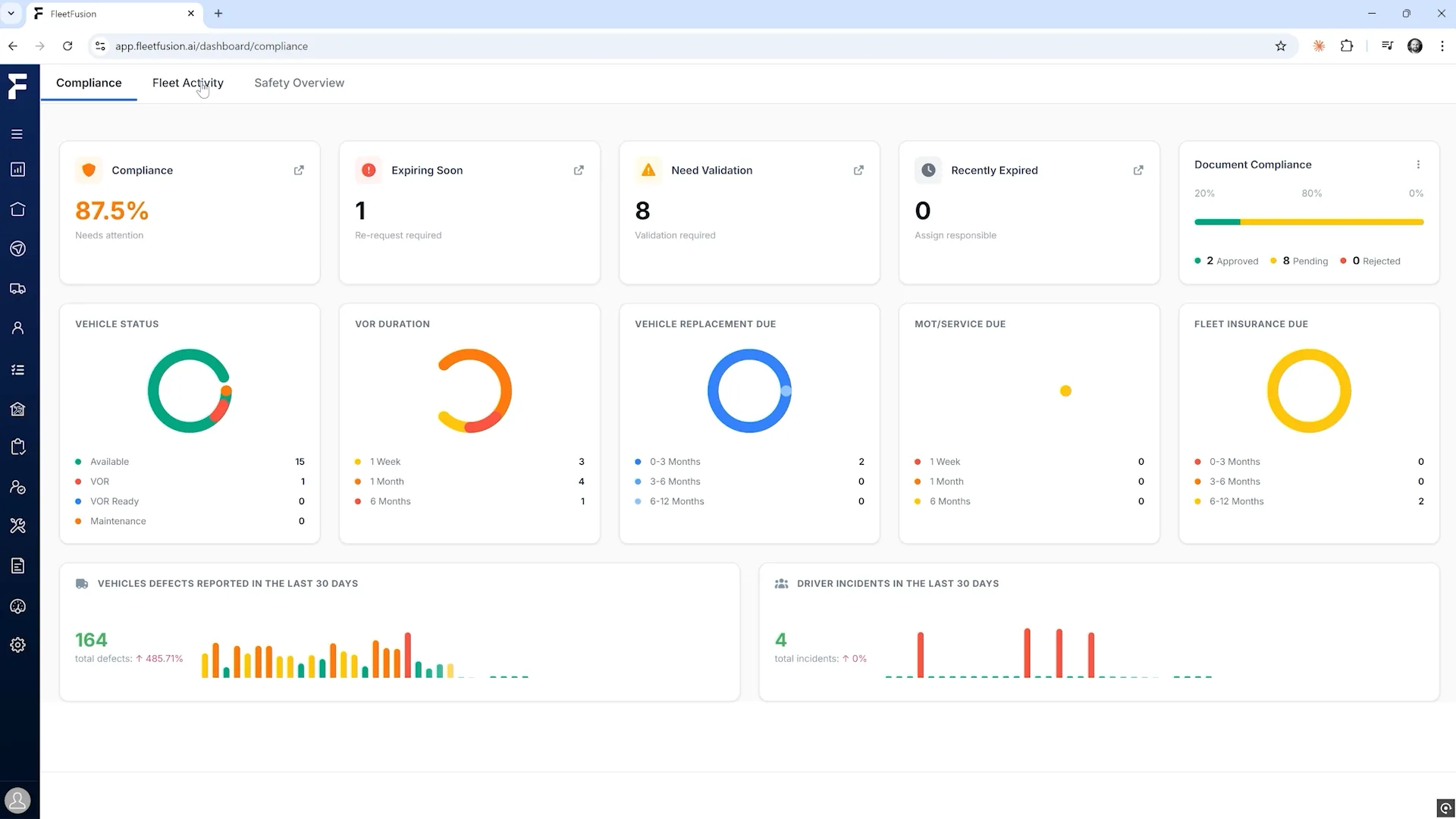
Start with a clear view of your company's recorded compliance status. See what is up to date, what is approaching expiry and which documents need validation, without assembling separate reports.
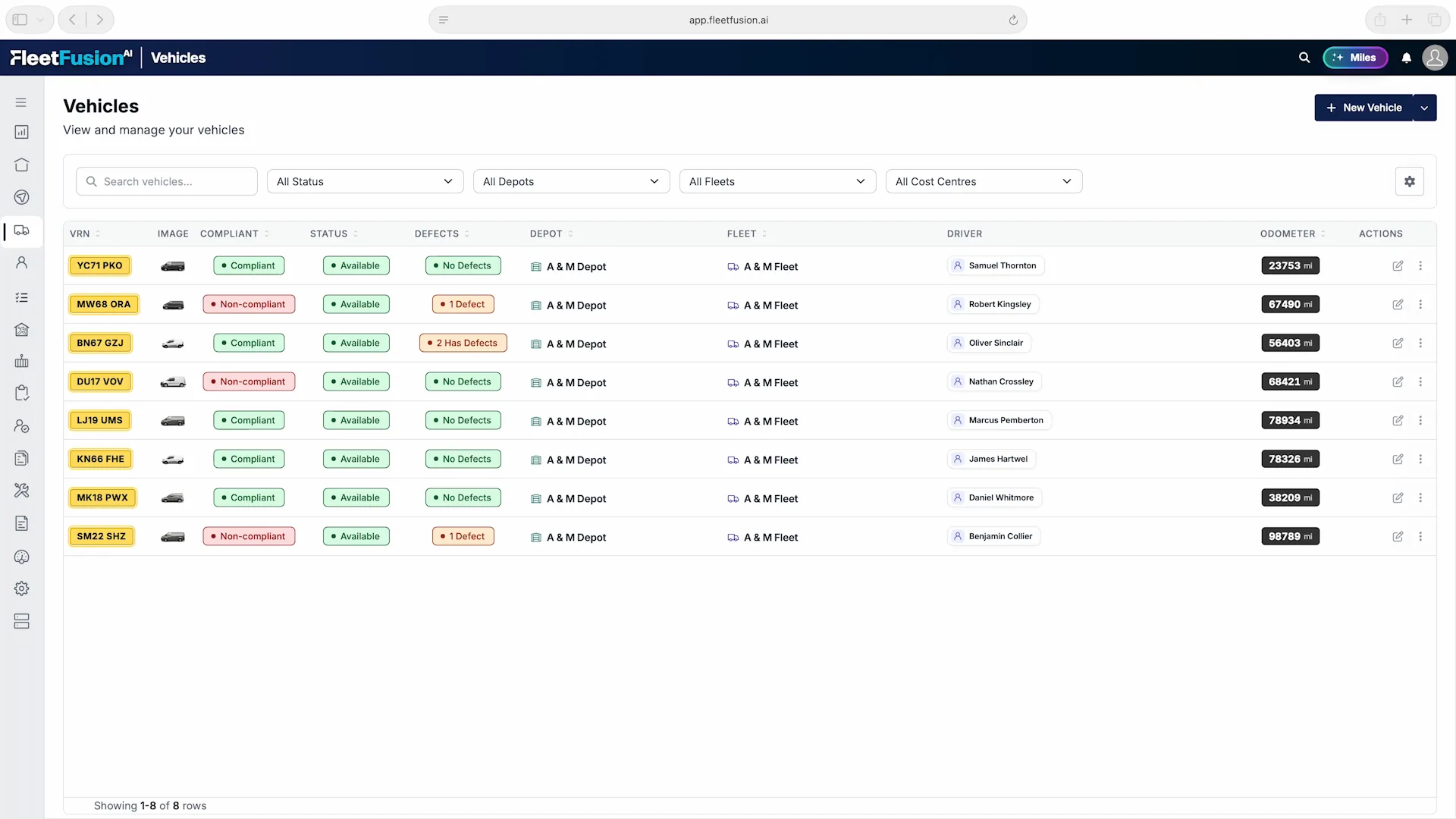
Bring vehicle status, compliance, defects and driver assignments into one clear list. Search for a vehicle or narrow the view by status, depot, fleet and cost center to focus on the part of the operation you manage.
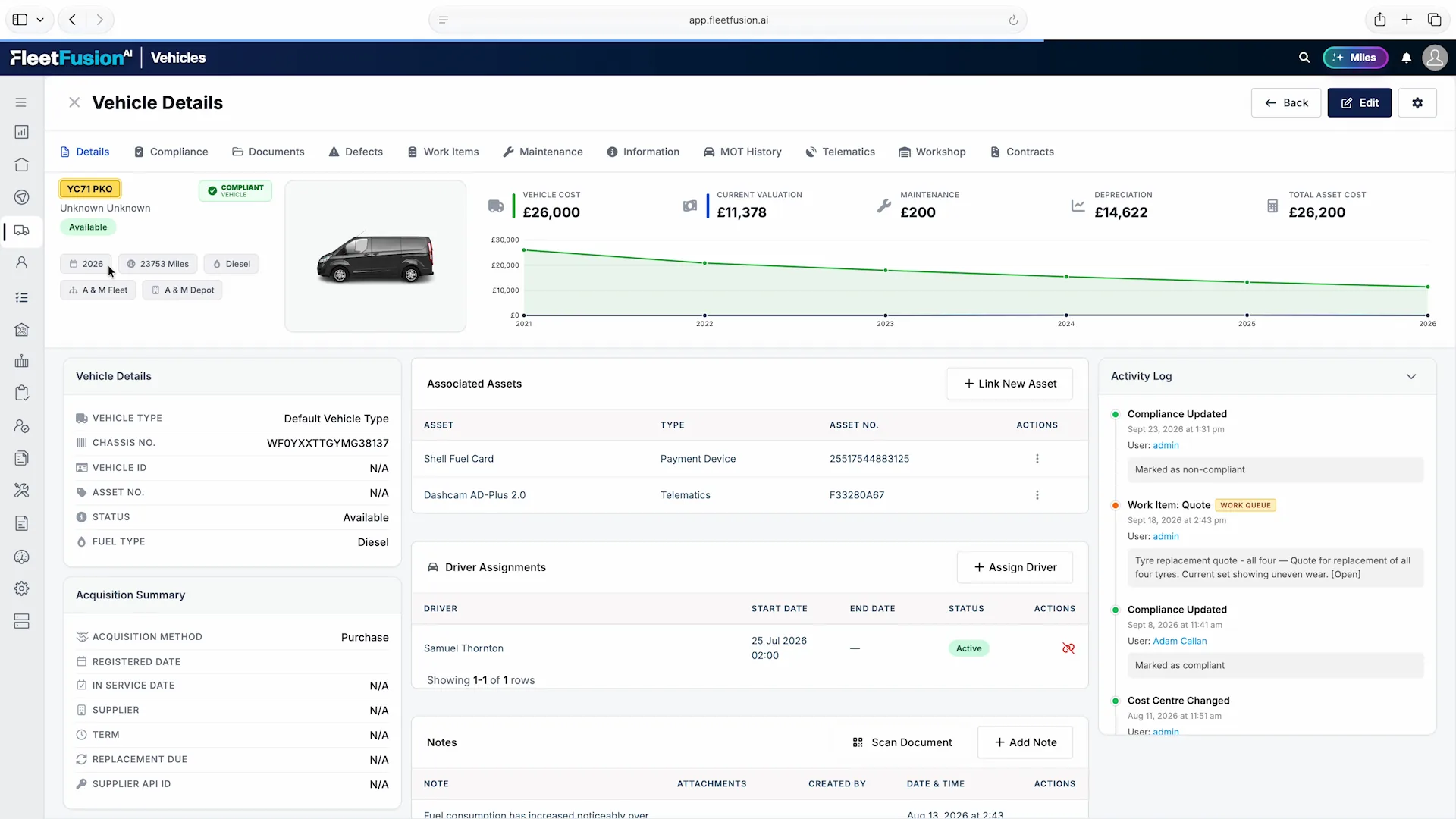
Open a vehicle to see its status, costs, linked equipment and assigned driver together. Move between compliance, documents, defects, work items, maintenance, telematics, workshop records and contracts without losing the vehicle context.
Bring driver records, recorded compliance status and vehicle assignments into one working list. Search for a driver or filter by status and fleet to focus on the people you manage.

Start a supported license check directly from the driver record. Keep license information alongside the person's employment status, fleet, cost center, driver type and assigned vehicle, so a review starts with the whole record in view.
Check availability and frequency depend on the supported service, country and driver permissions configured for your operation.

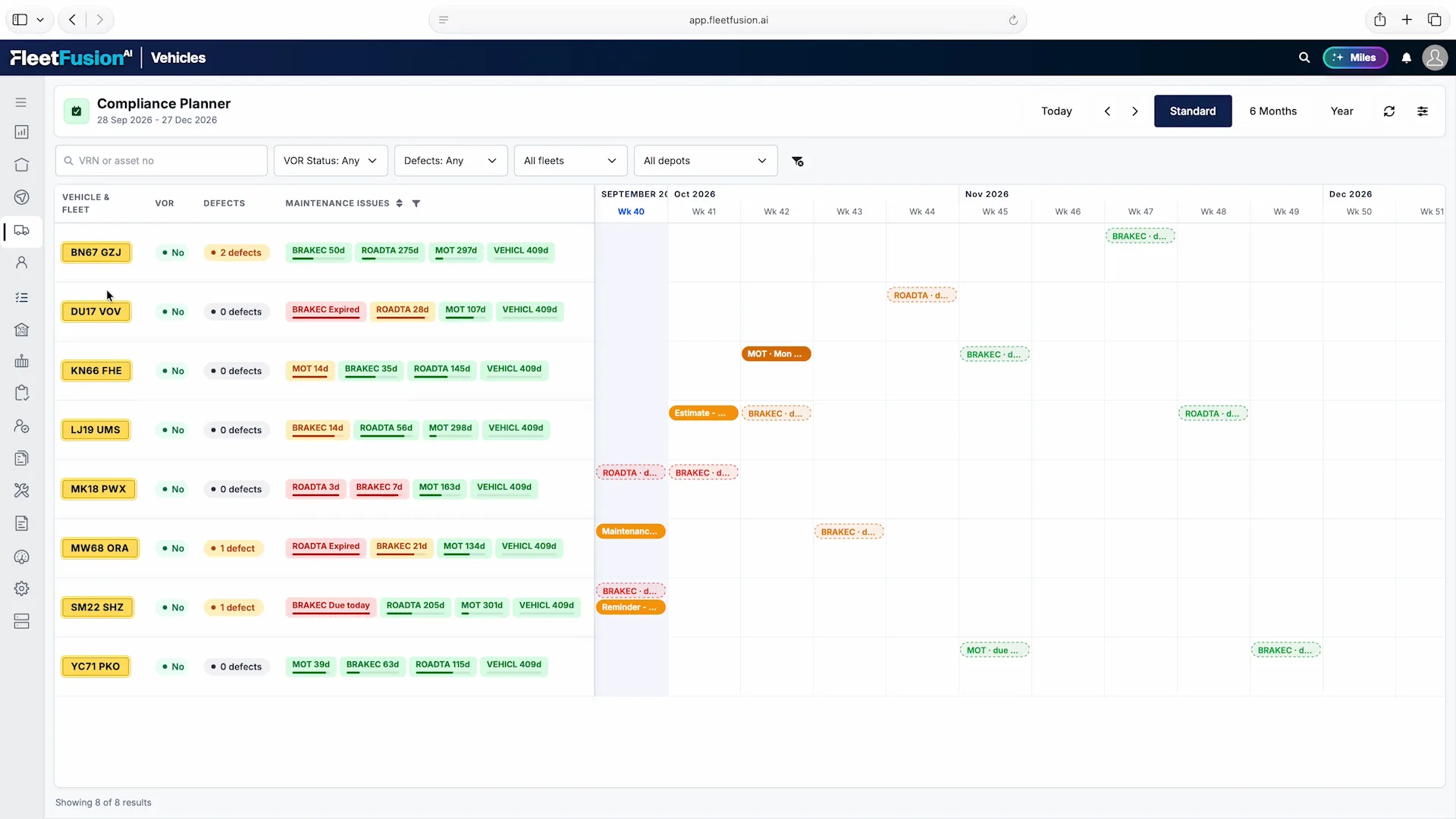
Bring vehicle requirements and scheduled work onto one timeline. See overdue items, approaching deadlines, defects and vehicle-off-road status alongside each vehicle, so your team can prioritize follow-up and plan ahead.
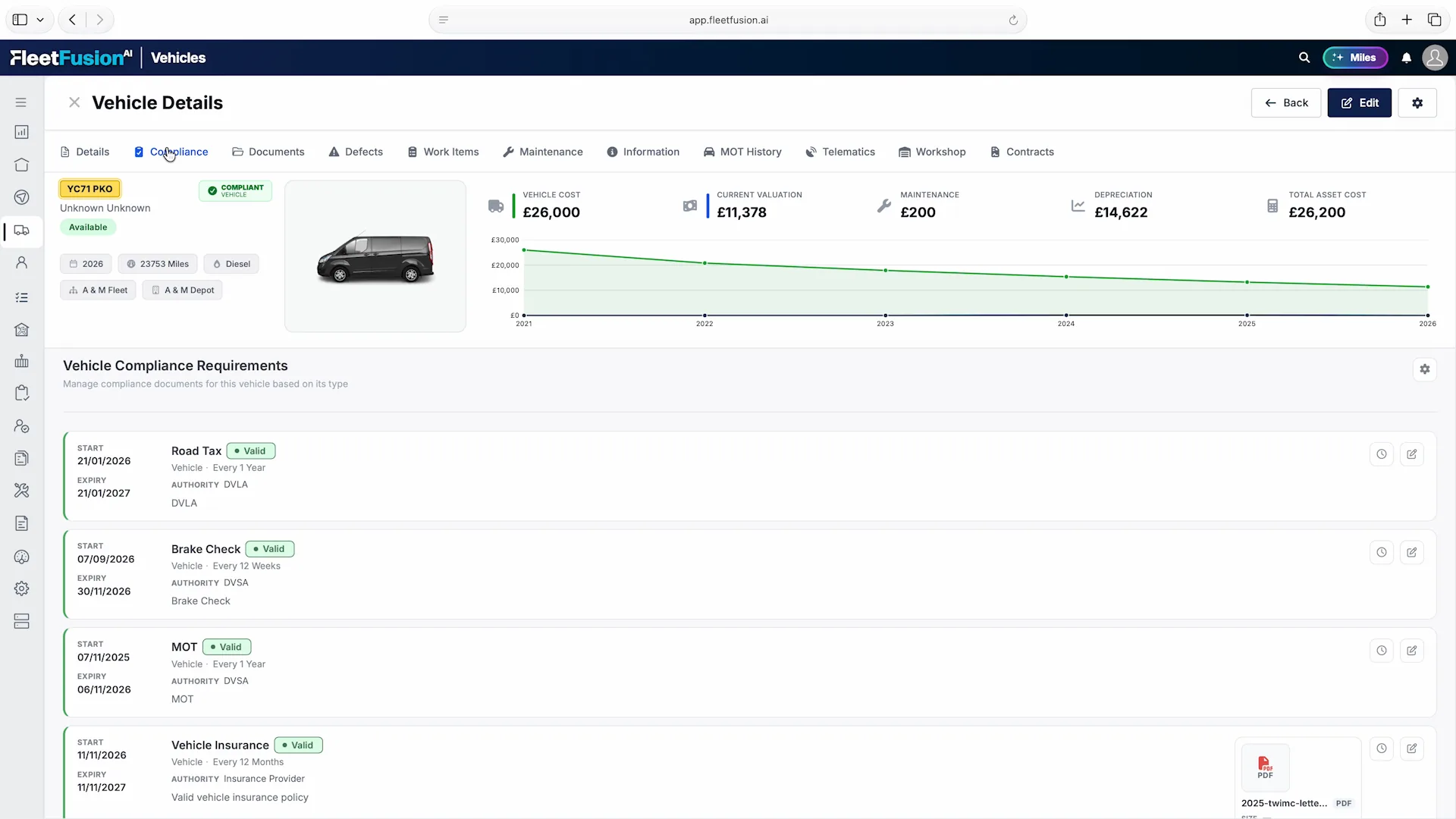
Open a vehicle's compliance tab to review the requirements configured for its type. Keep each item's status, start date, expiry date and supporting documents attached to the vehicle, so the team can see what the record contains and what needs follow-up.
Maintain a register of the tires your fleet owns, with serial numbers, brands, sizes, purchase costs and fitment status in one place. See which vehicle each tire is currently fitted to, so the record stays connected to the fleet you manage.

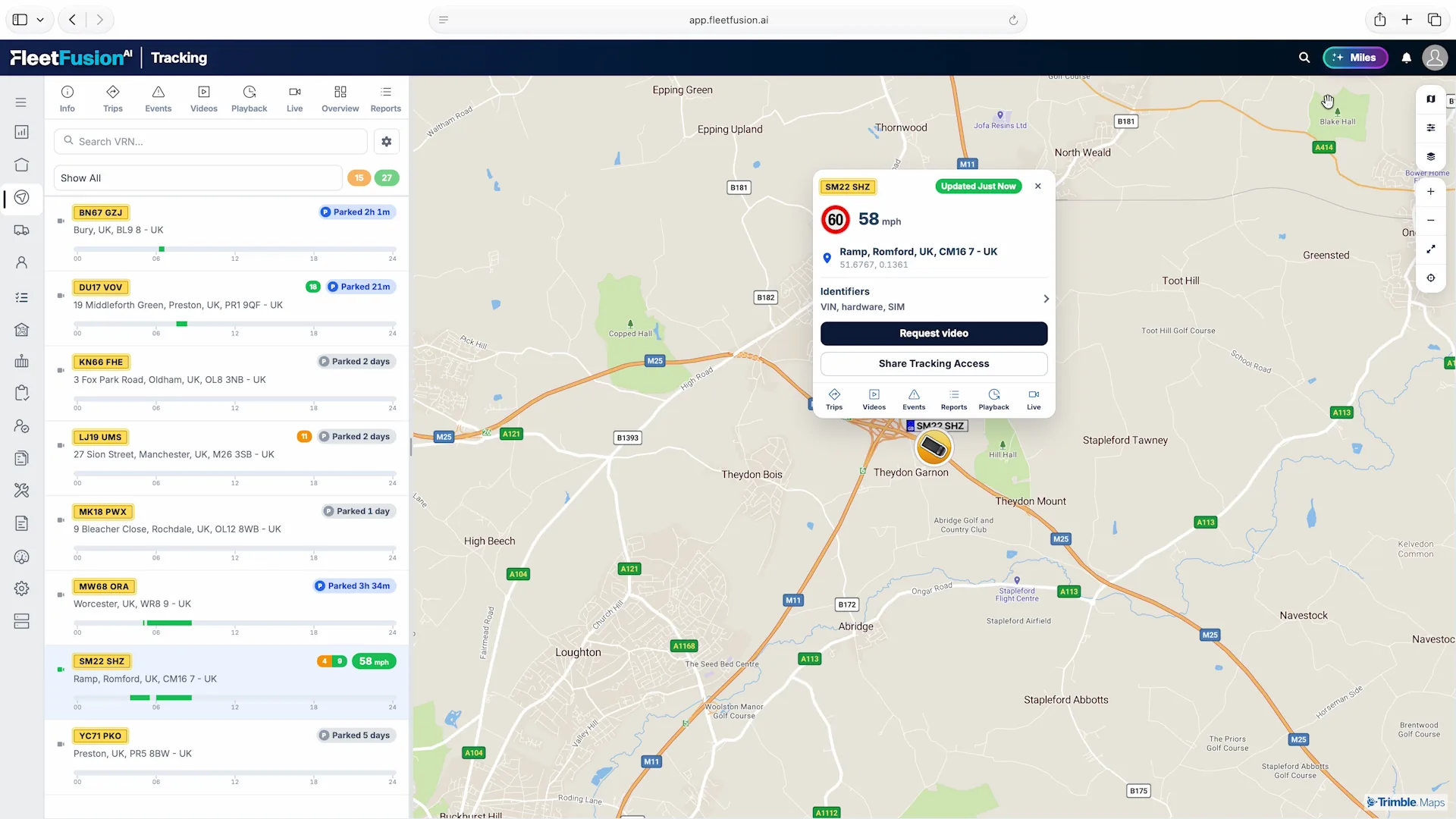
Bring the fleet list and map together. Find a vehicle by registration, check its latest reported location and status, then open the detail you need without losing your place on the map.
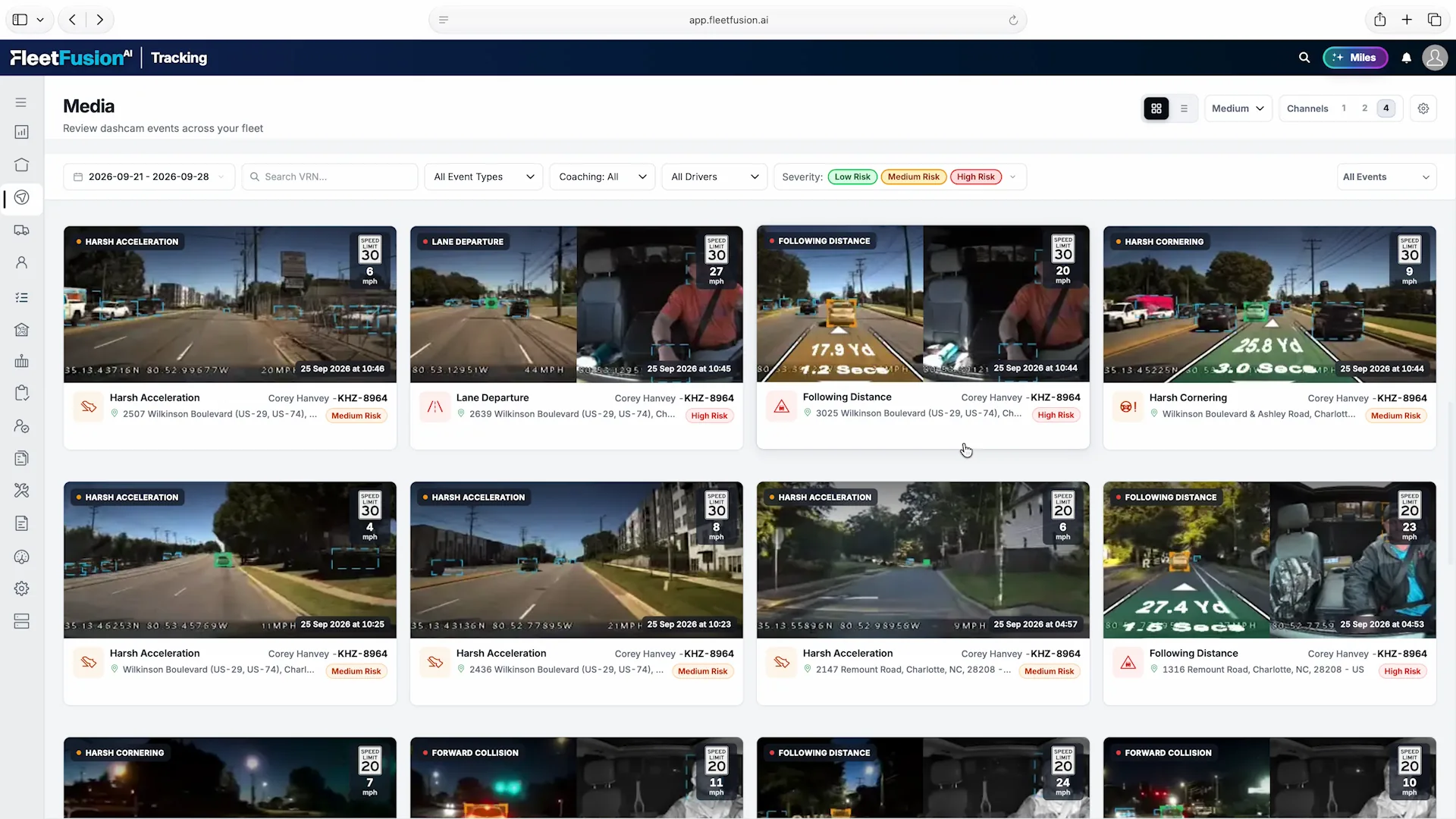
Review dashcam events across your fleet in one media view. Each event brings the camera footage together with its type, time, vehicle, driver and location, helping your team find the clips that need a closer look.
Available footage, event types and camera channels depend on the connected equipment and configuration.
Bring fuel use, estimated cost, average economy, emissions and idling into one dashboard. Follow the trend over time and compare the current period with the previous one to understand where performance is changing.

Move from the fleet overview into inspections, repairs, driver coaching, braking performance, delivery planning and reporting. Each workflow keeps the operational record and the next action connected.

A vehicle-by-day view makes inspection coverage easy to review. See recorded submissions, passes, warnings and defects across the selected period, then focus on the depot, fleet or vehicle type you manage.
Explore This Workflow →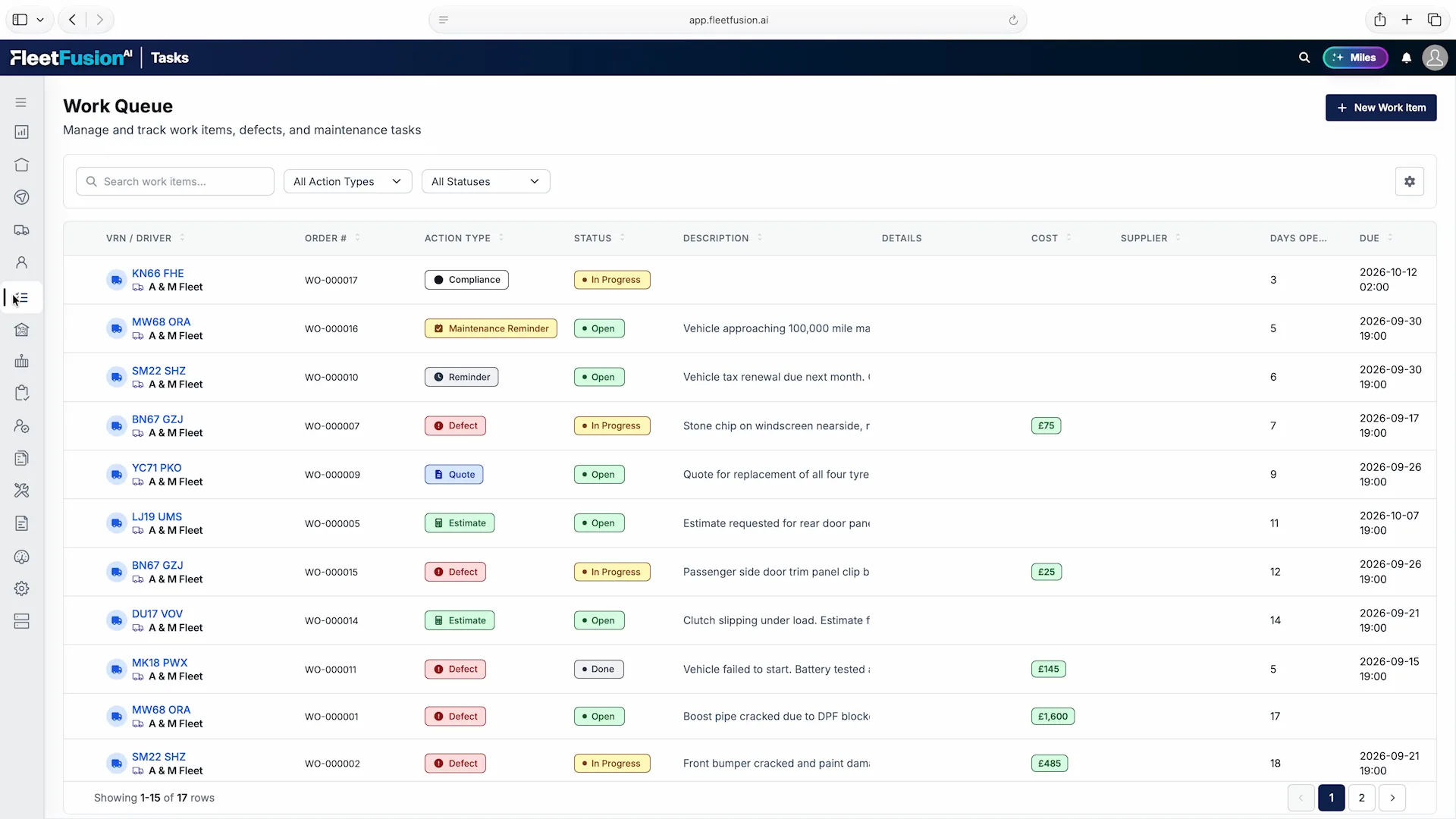
Review defects, estimates, quotes, compliance tasks and maintenance reminders in one work queue. Status, due dates, days open and costs make it easier to decide what needs attention and who should pick it up.
Explore This Workflow →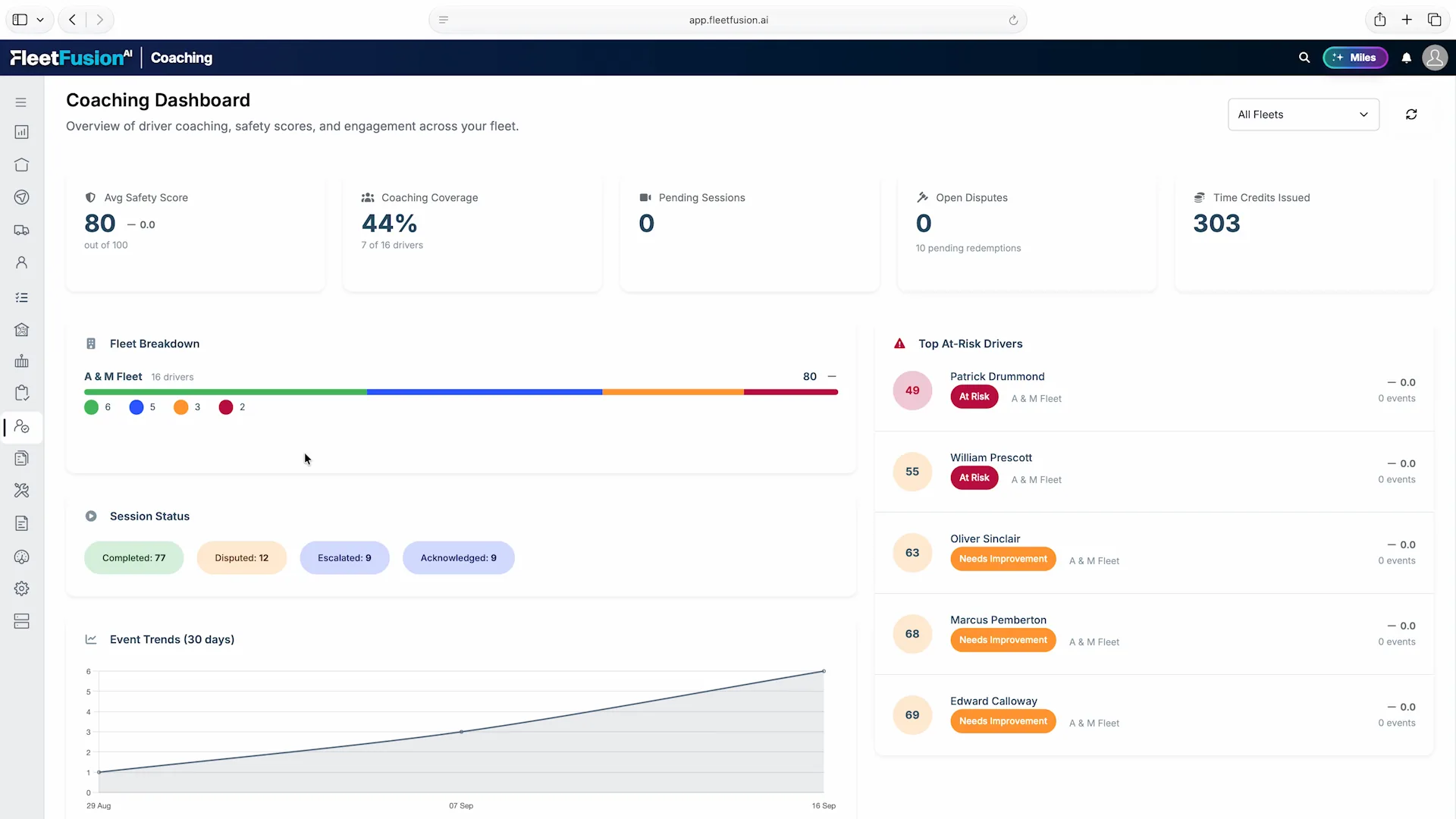
See fleet safety scores alongside coaching coverage, session status and drivers who need attention. This gives managers a way to review the coaching program as a whole and find conversations that still need a response.
Explore This Workflow →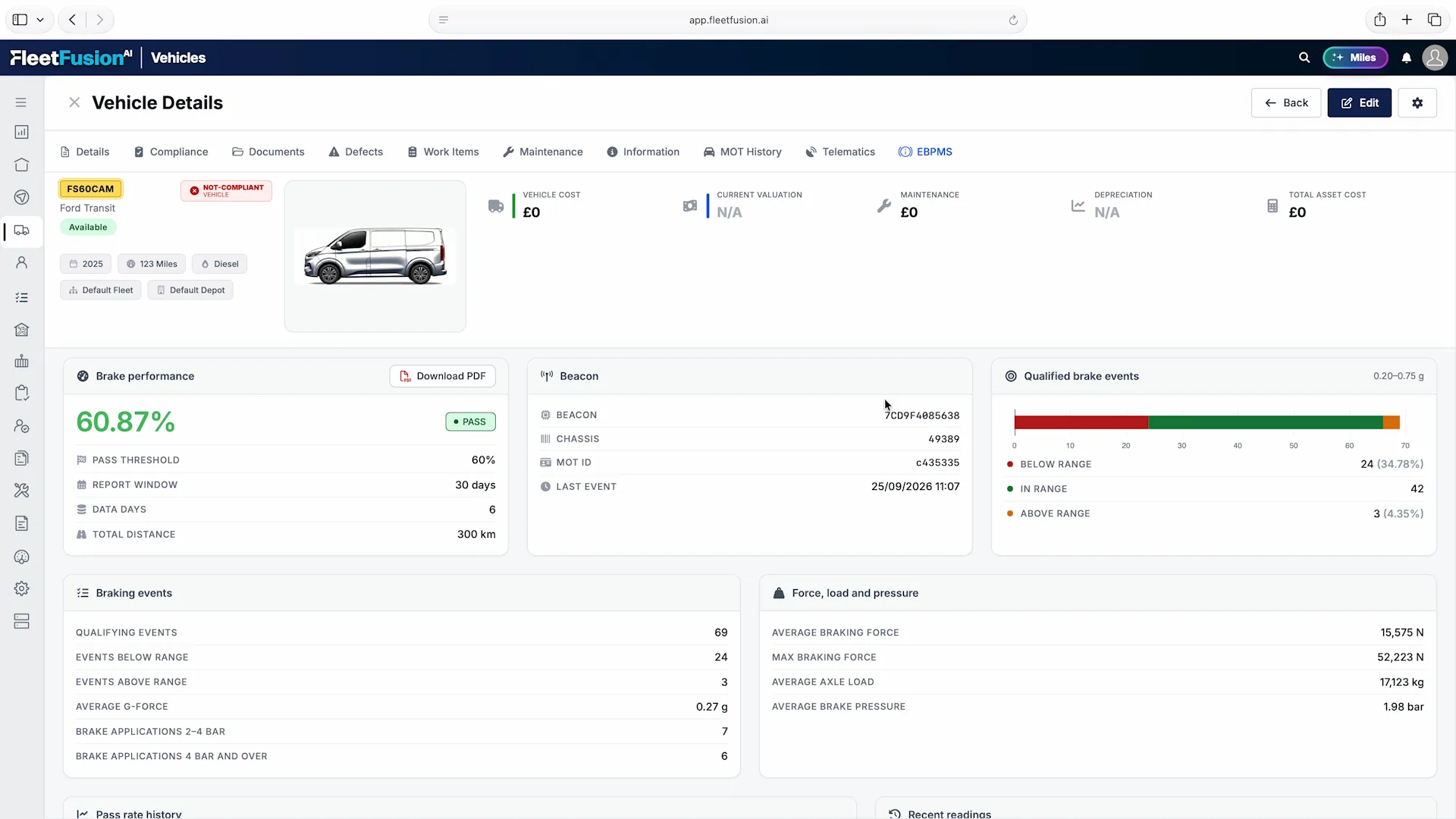
Review the recorded performance result with the report window, qualifying events and available force, load and pressure data. Keep the evidence beside the vehicle’s compliance and maintenance records so your team can investigate changes in context.
Explore This Workflow →
See proposed routes on the map alongside their ordered stops, timings, distance and load. Route warnings remain visible so the planner can review restrictions and unresolved issues before releasing the work.
Explore This Workflow →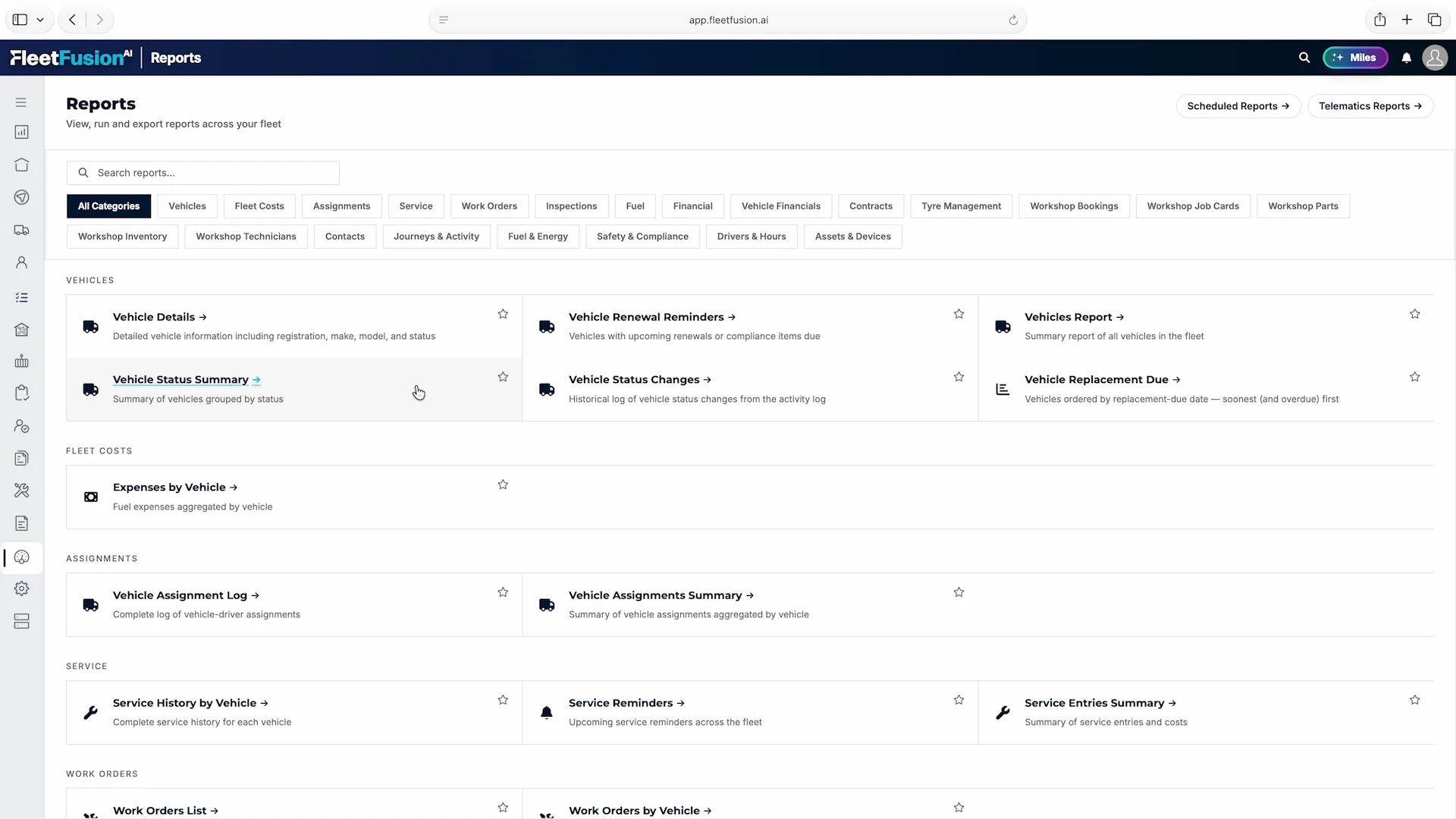
Browse reports by the work you manage: vehicles, fleet costs, service, inspections, fuel, contracts, workshop activity and more. Keep regular reporting connected to the same records your teams use every day.
Explore This Workflow →Connect supported telematics platforms and vehicle data sources, including Samsara, Geotab, Webfleet, Scania and Volvo. FleetFusion brings their information into a shared operational view, with the available data determined by the provider, equipment and account permissions.
Business systems add another layer of context. ERP connections can feed the RouteFusion order pipeline, while connected document stores and company information give FusionOracle a private, permission-aware knowledge base. Authorized management teams can use that context to investigate performance and prepare executive analysis.
Start with outstanding checks, open defects, due maintenance and route progress. Review the exceptions that affect today’s operation, then open the vehicle, driver or job behind them.
An incident is more useful beside its vehicle history, driver assignment and video evidence. A repair is easier to follow when the defect, work order and supporting documents stay connected.
Structure the organization around cost centers, depots and fleets. Assign users and roles to the areas they manage so local teams can work on their own records while authorized managers oversee the wider operation.
Start with your organization and priority workflows. Our onboarding team helps map existing records to FleetFusion, check relationships and prepare the first teams for use.
Plan Your Onboarding →Check vehicle activity, locate your fleet and follow a journey without returning to your desk. Move from the fleet list to the details, map and video that help explain what is happening.

Find a vehicle by registration, driver or location, then check its status and daily activity.

View your fleet on the map and identify the vehicle you need to investigate.

Review the route alongside trip distance, duration and maximum speed.

Bring the latest camera snapshot, vehicle location and usage summary into one view.
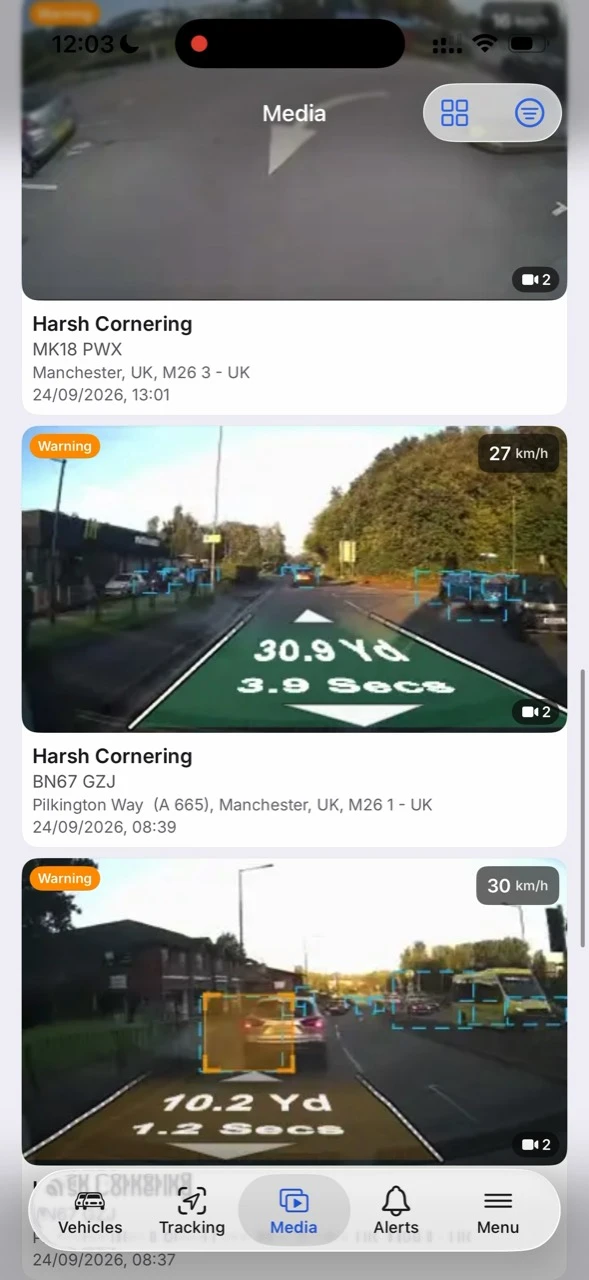
Browse recorded events with footage, time, location and vehicle details together.
Swipe to explore the app. Camera features depend on the connected equipment and configuration.
A vehicle problem rarely belongs to one team. The driver sees it first, the fleet office decides what happens next, the workshop carries out the repair and finance needs the cost. FleetFusion keeps those steps connected around the same vehicle, driver and depot records.
Information Becomes Action
Open the work queue to find defects, services, recalls and certification tasks. Filter by status and action type to separate work waiting to start from jobs already under way.
Open the vehicle record for its assignments, compliance, documents, costs and activity history. The next person can see the background without rebuilding the story from email.
Run a report when you need an answer, or schedule a CSV or PDF for daily, weekly or monthly delivery. Different teams can receive the same report with the filters and schedule that suit them.
FleetFusion fleet activity dashboard.
Open the screenshot to explore the details at full size.
