
Prepare Each Vehicle For Its Work
Use vehicle-specific walkaround checks and capture defects with photographs. Keep the maintenance team informed about reported problems and the evidence needed for follow-up.
Explore Walkaround Checks →FleetFusion For Passenger Transport
For bus, motorcoach and shuttle operators, vehicle readiness and clear evidence matter every day. FleetFusion brings inspections, driver records, maintenance and video into one place for the people responsible for the service.
The first journey of the day depends on checks being completed, defects being understood and the right records being available. Later, a passenger query may need attention long after the vehicle has returned. FleetFusion helps the office follow both situations through the same vehicle and driver history.

Use vehicle-specific walkaround checks and capture defects with photographs. Keep the maintenance team informed about reported problems and the evidence needed for follow-up.
Explore Walkaround Checks →Review available road, cab or passenger-area footage with journey information. Camera positions, access permissions and retention should reflect the service and its privacy requirements.
Explore Video Telematics →Review driving events with context, then record coaching and follow-up. Focus the conversation on what happened and what the driver can learn from it.
Explore Driver Coaching →Schedule servicing and follow defects through work orders. Keep brake-monitoring records and relevant maintenance evidence connected where the required systems are available.
Explore Maintenance & Workshop →Manage driver, vehicle and depot compliance tasks with named owners. Keep the relevant license, inspection and supporting records available to authorized staff.
Explore Compliance →Use route scheduling and journey visibility for the work that fits your operation. Agree the relationship with existing timetabling or specialist passenger systems during setup.
Explore RouteFusion →The team identifies the vehicle, journey and assigned driver.
Authorized staff review available footage and the relevant inspection or maintenance records.
The incident and any coaching or workshop follow-up are documented together.
An illustrative workflow; agree the exact records, integrations and responsibilities for your deployment.
FusionOracle helps bring issues and patterns to your attention across connected fleet information. Miles lets you ask questions in plain language, using only the data your user account is permitted to access.
For passenger transport teams, a useful starting point is: Which passenger vehicles have outstanding workshop actions? Follow the answer back to the records, check the evidence and assign the next action.
Ask Miles“Which passenger vehicles have outstanding workshop actions?”
Example question. Answers depend on available data and your permissions.
Vehicle condition, driver readiness and incident follow-up all affect passenger operations. Give the depot team a way to move between these records without losing the detail.
Connected Around Your Operation
Review the vehicles and drivers assigned to the location, including availability, compliance status and outstanding defects.
Plan service around the vehicle’s usage and calendar. Capture the reported complaint and repair outcome so recurring faults can be investigated.
Use available camera evidence and incident records when a concern is raised. Review the context with the driver and retain notes and the agreed follow-up.
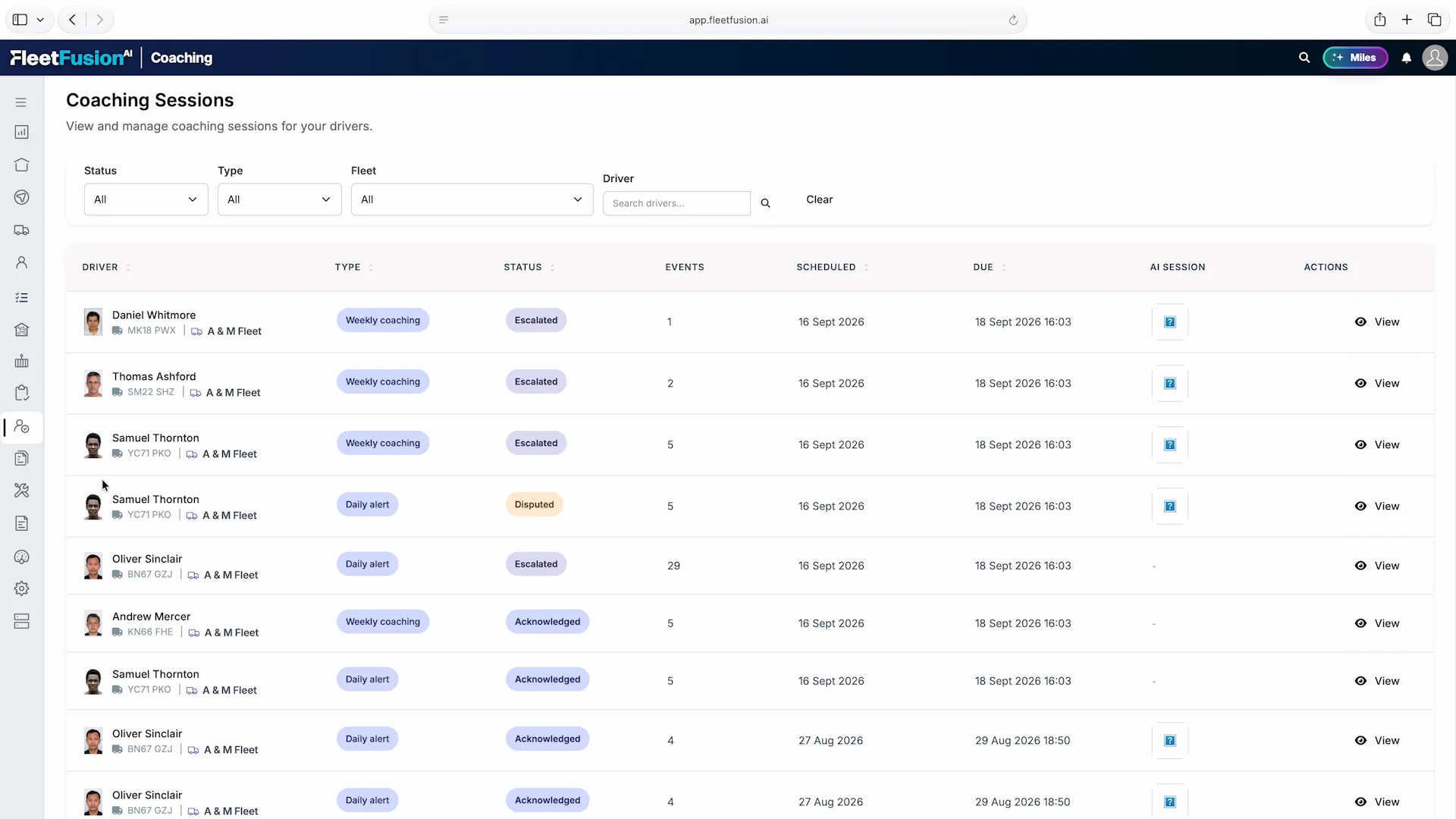
FleetFusion coaching sessions view. Illustrates the workflow described above.
Open the screenshot to explore the details at full size.
Bring your vehicle types, depot structure, current devices and reporting needs into the implementation discussion. We can map the modules and connections around them, then agree who owns each check, record and follow-up action.
For US, UK and European operations, configure the relevant driver, vehicle, asset and depot requirements separately. Compliance tools help organize the work and its evidence; they do not replace the operator’s responsibilities. Hardware functions and connected data depend on the selected devices and integrations.
Define user roles and permissions around the people responsible for reviewing evidence. Confirm video availability and retention with the chosen camera and platform configuration.
Keep relevant driver documents and qualification records with the driver profile. Configure the appropriate driver-hours data and compliance tasks for the service, vehicle and jurisdiction.