
Define The Requirement
Record its authority or internal policy, renewal period, mandatory status and whether a supporting document is required.
Stay compliant · FleetFusion
Bring checks, driver records, maintenance and evidence together. Configure the requirements that apply to your operation so teams can see outstanding work and take action.
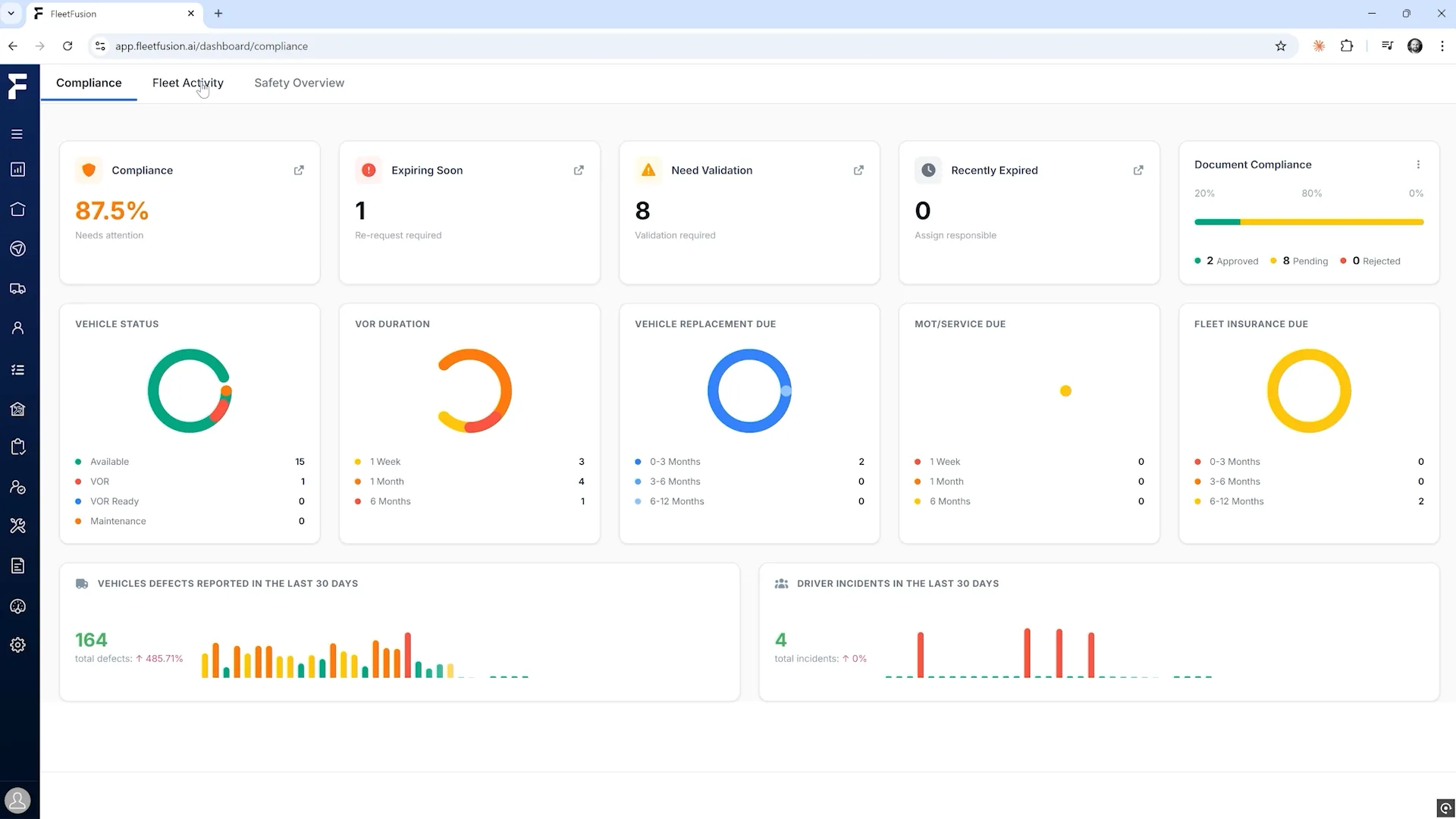
Start with your company's recorded compliance status, expiring items and evidence awaiting validation. Bring vehicle availability, service deadlines and insurance renewals into the same view, alongside recent defects and driver incidents.
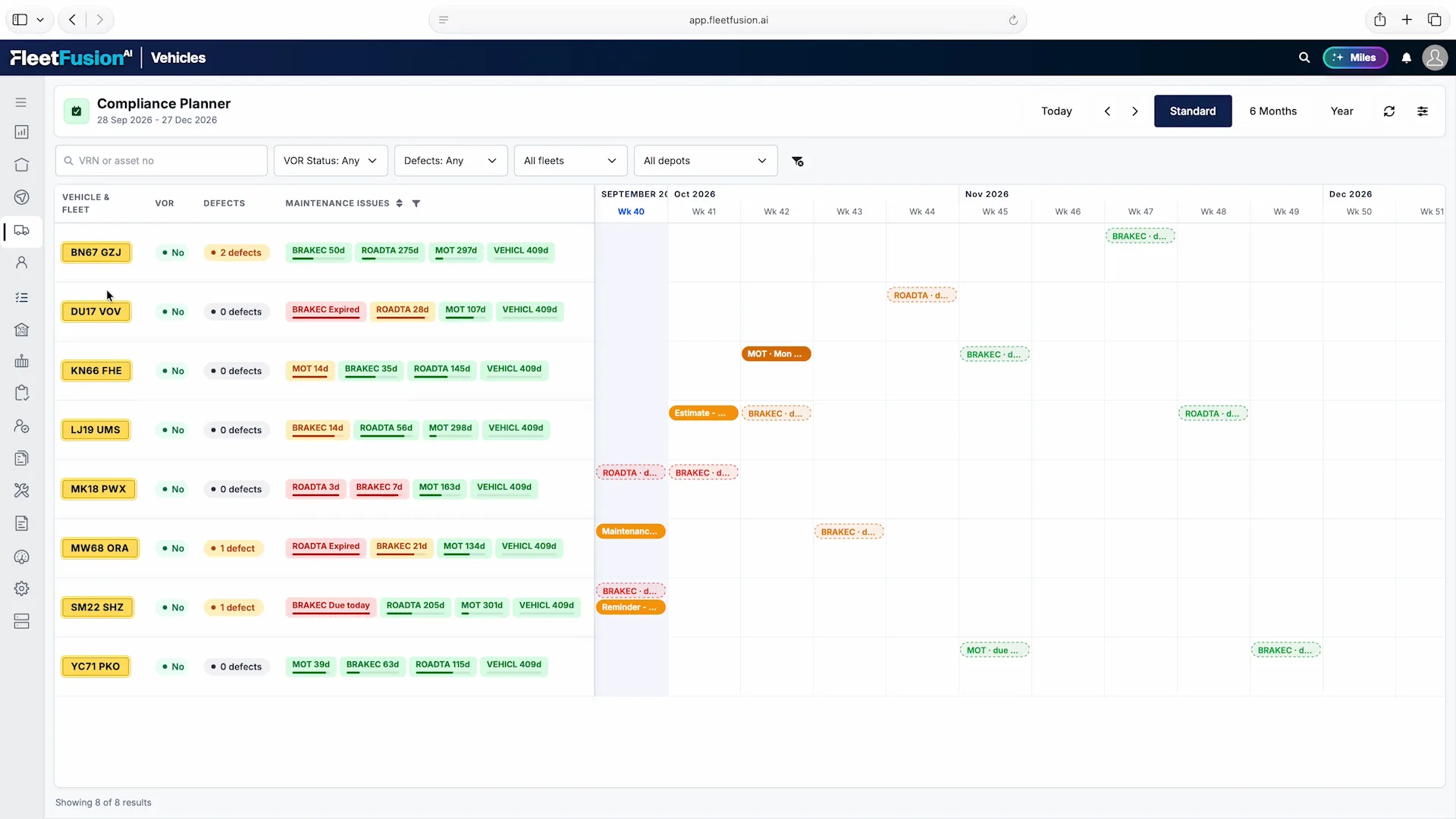
The dashboard helps your team decide where to look first. The planner then puts upcoming requirements and scheduled work on a timeline, so today's review leads into the next action.
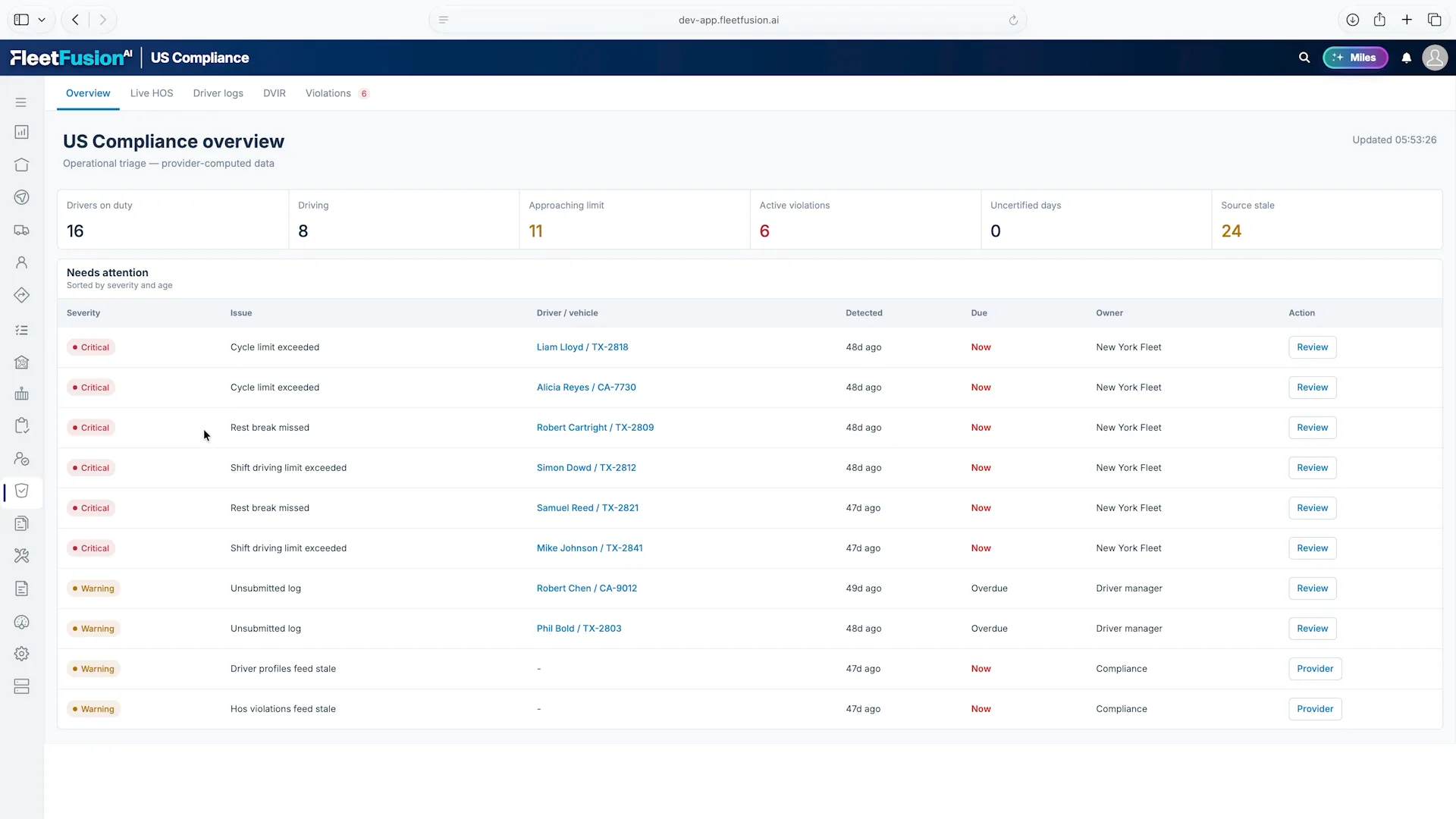
Bring hours-of-service information, driver logs, violations and inspection records into one operational workspace. The US Compliance overview turns provider-supplied information into a focused review queue for your team.
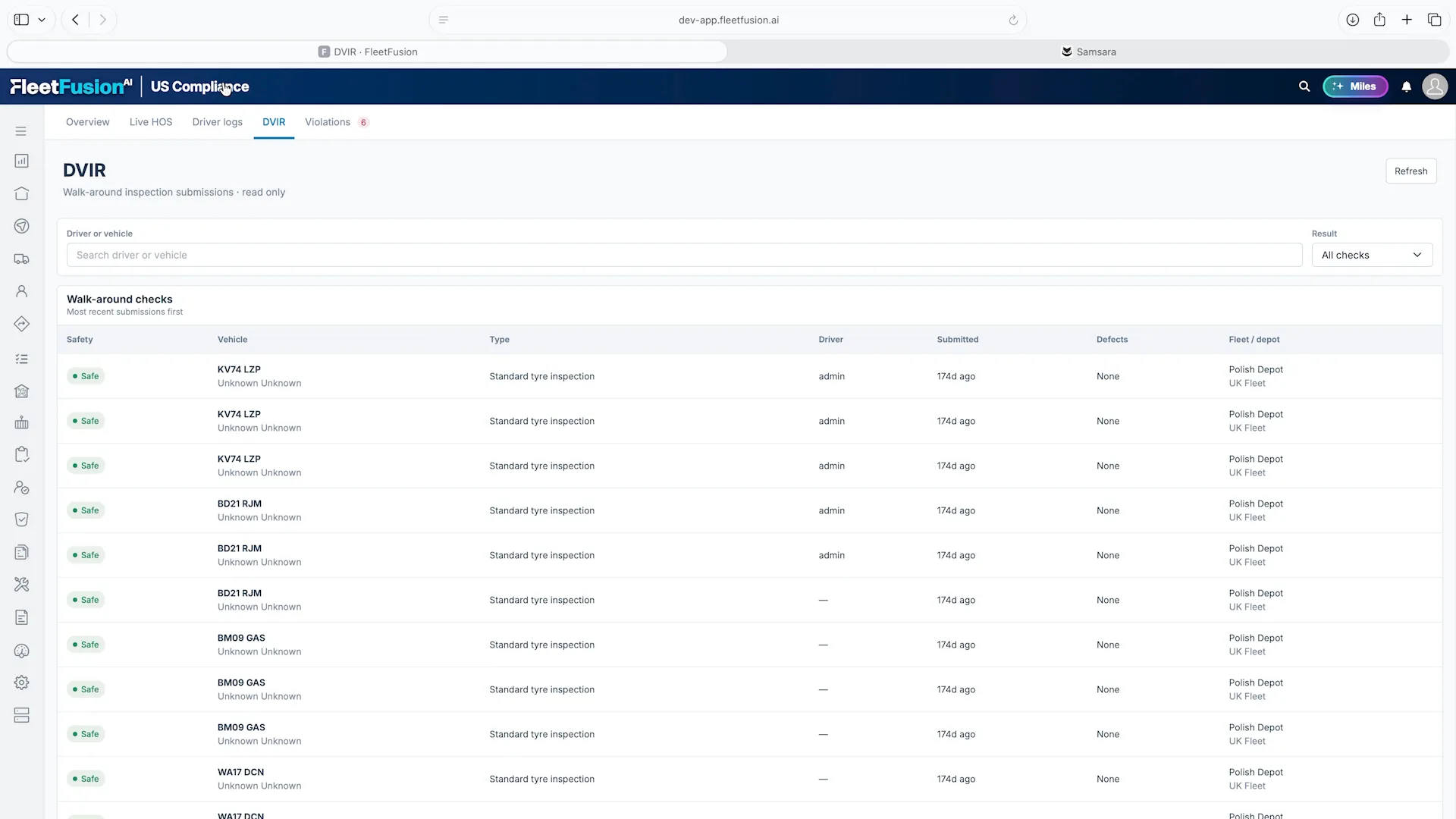
Review walk-around submissions from the US Compliance workspace. Search for a driver or vehicle and filter by result to focus on the inspection records your team needs to review.
This read-only view brings submitted checks together for review. Drivers complete their inspections in the app, while the wider FleetFusion workflow keeps reported defects connected to follow-up.
Bring vehicle requirements and scheduled work onto one timeline. See overdue items, approaching deadlines, defects and vehicle-off-road status alongside each vehicle, so your team can prioritize follow-up and plan ahead.
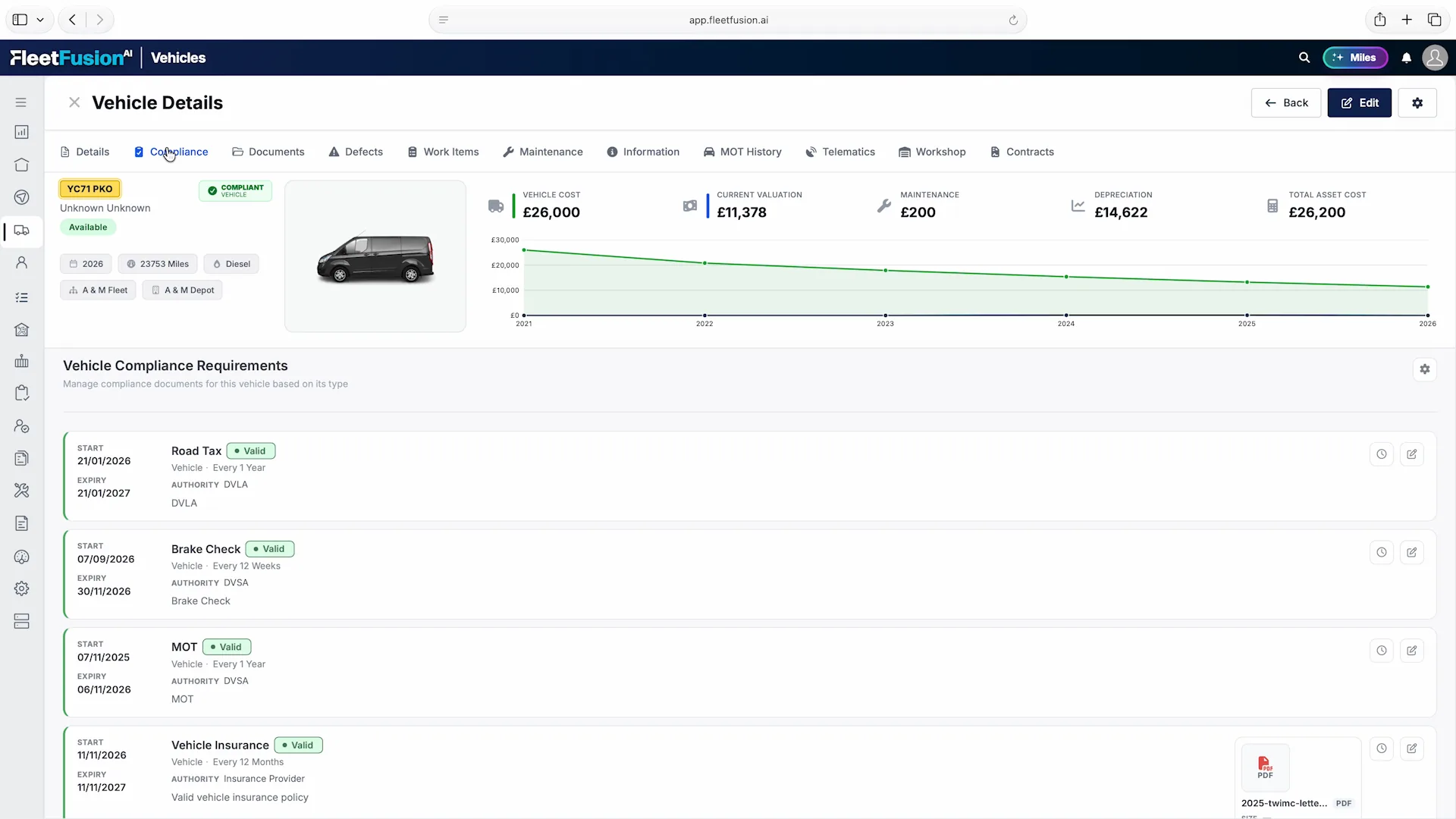
Open a vehicle's compliance tab to review the requirements configured for its type. Keep each item's status, start date, expiry date and supporting documents attached to the vehicle, so the team can see what the record contains and what needs follow-up.
Walkaround checks are time-stamped, signed and stored, defects carry photos and notes, and documents are linked to the right vehicle, so the evidence is ready for audits and DVSA earned-recognition reviews.
Automated licence checks, tachograph downloads and EBPMS brake data flow into the same platform, helping your team review obligations alongside everyday work.
Make compliance part of the working day. Drivers can see their status, upload documents and licenses, and complete vehicle checks from their phone. Your team keeps the records and oversight connected in FleetFusion.
Give drivers a clear view of their compliance requirements and a way to submit the documents and licenses that support them.
Work through the walkaround checklist, record pass or fail, and add photos and notes to show what was found.
Bring driver submissions and inspection evidence into the wider fleet record so your team can review and follow up.


Swipe to see both screens.
FleetFusion lets you define a requirement once and attach it to the relevant vehicle or driver types. That structure matters when one operation includes company cars, trucks, specialist assets and drivers doing different jobs.
Information Becomes Action
Record its authority or internal policy, renewal period, mandatory status and whether a supporting document is required.
Attach the requirement to the relevant type. Vehicles and drivers inherit the applicable obligations instead of relying on someone to build every checklist from scratch.
Track validity dates and supporting documents on the individual record. A missing or expired mandatory submission changes its compliance status, giving the team a specific item to resolve.
Drivers complete digital walkaround checks in minutes with photos, notes and signatures. Failed items raise defects for the workshop instantly.
Learn more →Stay compliantConnect supported licence-checking services with driver management. Provider coverage, consent requirements and charges are confirmed in your scope.
Learn more →Stay compliantBuilt-in support for tachograph downloads and reporting, in the same platform as your tracking, checks and compliance dashboard.
Learn more →Stay compliantElectronic braking performance monitoring from multiple manufacturers, managed in FleetFusion with your maintenance and compliance records.
Learn more →Transport & logisticsPassenger transportWaste managementUtilities & energyPublic sector & local authority
The United States, United Kingdom and Europe are our primary markets. Agree the applicable requirements, supported data sources and workflows for your vehicle types, driver types and operating regions.
Every walkaround check is time-stamped, signed and stored, so evidence is ready for audits and earned-recognition reviews.
Licence-checking coverage and any service charges are confirmed in your quote.
Organize responsibilities and due work at the depot and fleet level. Give managers a way to review local tasks while authorized users oversee the wider organization.
Different vehicle and driver types can need different checks and evidence. Link requirements to the relevant records so your team can see what is due and what remains unresolved.
Keep checks, documents, defects and work orders connected. Use the co-pilot to help identify work requiring review, assign responsibility and prepare the evidence for an audit.
Requirements differ across the US, UK and Europe. Configure driver and vehicle workflows for each operating country, including relevant ELD connections, licence checks, tachograph records and maintenance evidence. Software supports your compliance process; it does not certify that an operation is compliant.
Plan Your Compliance Setup →