
Skip To Content
FleetFusionPlatform Login

Run the fleet · FleetFusion

Fleet Document Management With AI-Assisted Review

Bring fleet paperwork into one inbox. AI suggests the vehicle and document type; your team reviews the details before approving the document for the record.

01

Documents Where Your Team Needs Them

Keep vehicle paperwork organized and searchable on the record. Scan or upload documents, use folders to find inspection and service evidence, and review AI-suggested details before approving incoming files.

  • AI reading
  • Linked to vehicle or order
  • Searchable
Find The Paperwork Where The Work Happens.
Documents On The Vehicle: Find The Paperwork Where The Work Happens.
02

Kept for audits

Documents are retained alongside checks, defects and work orders, ready for audits.

  • Retention Policy
  • Audit-ready
  • Part of compliance
Inside FleetFusion

Working Reports From Connected Fleet Records.

Turn A Vehicle Question Into A Working Report.
Quick Journey Reports: Turn A Vehicle Question Into A Working Report.
Quick Journey Reports

Turn A Vehicle Question Into A Working Report.

Review a vehicle’s journeys over a selected period, with trip time, distance and speed measures above the daily charts and trip list. Change the scope to investigate the question your team is working on.

  • Review the summary and supporting journeys in the same report.
  • Use the available view, column and export controls to prepare the result.
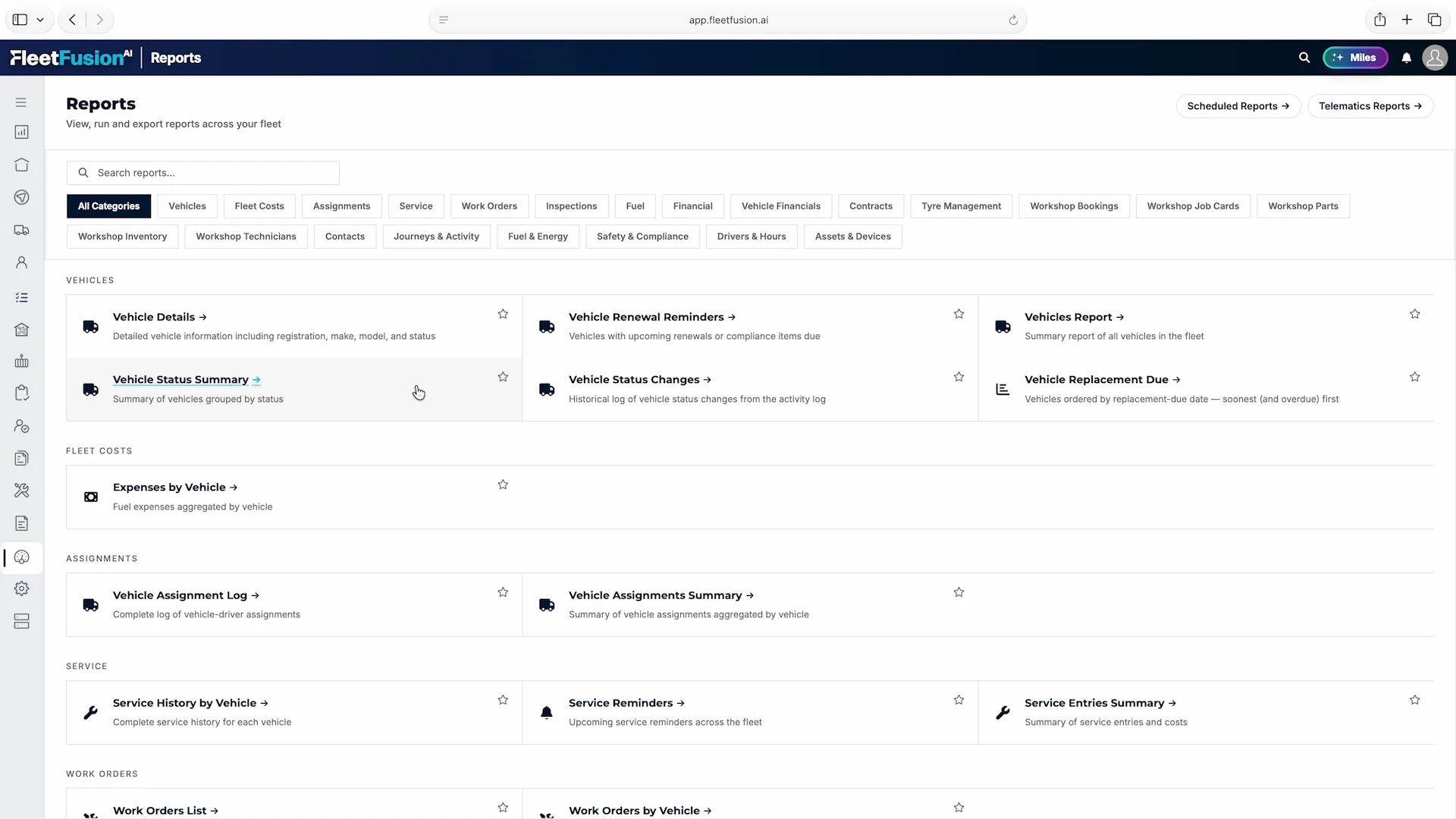
Find The Report That Fits The Job.
Fleet-Wide Reporting: Find The Report That Fits The Job.
Fleet-Wide Reporting

Find The Report That Fits The Job.

Browse reports by the work you manage: vehicles, fleet costs, service, inspections, fuel, contracts, workshop activity and more. Keep regular reporting connected to the same records your teams use every day.

  • Open a report on demand from its operational category.
  • Access scheduled reports for recurring information needs.
How It Works In Practice

From An Incoming File To A Reviewed Fleet Record.

An invoice in an inbox is easy to miss. An inspection certificate filed against the wrong vehicle is hard to trust. FleetFusion gives incoming documents a review workflow so your team can check the information before it becomes part of the vehicle record.

Information Becomes Action

  1. Upload / Email / Scan
  2. AI Suggestions
  3. Human Review
  4. Linked Document
Follow the information through the workflow. Each step keeps the context for the next person.

Capture It Where It Arrives

Receive documents through web upload, email ingestion or the mobile document scanner. Use one inbox to see what is waiting for review.

Let AI Prepare The Details

AI suggests the vehicle registration and document type. The reviewer checks or corrects those suggestions, then approves the document or records a rejection reason.

Find It When Someone Needs It

Search by document name or content and filter by type, vehicle, supplier or fleet. Approved documents sit with the relevant vehicle, ready for maintenance reviews and evidence requests.

Reporting belongs alongside the evidence. Run reports on demand, save preferred columns and filters, or schedule CSV and PDF delivery daily, weekly or monthly to the people responsible.

Frequently asked questions

How are documents filed?

AI suggests the vehicle registration and document type. A reviewer checks the details before approving and linking the document.

How long are documents kept?

Document retention is configured for your organization’s requirements. Agree the policy and access responsibilities during onboarding.

Practical Guide

Fleet Video Evidence Workflow Guide

A useful video evidence process helps the right people find footage, understand the context and record what happens next. Define that workflow before an incident puts it under pressure.

Keep Exploring FleetFusion

See Where This Fits In The Wider Fleet.

Connect this workflow to your vehicle, driver and asset records, and explore the systems that can supply the information.