
See The Current Fleet Picture
Search by registration, check moving and parked status, and review each vehicle’s latest location, speed and daily activity timeline.
FleetFusion Vision
Bring dashcam and DVR video, vehicle tracking and safety events into one view. Choose FleetFusion hardware or connect compatible devices you already own.
Follow your fleet on the map, see which vehicles are moving or parked, and open the vehicle you need. FleetFusion Vision connects location and daily activity with trips, video events and vehicle information, so your team can move from the fleet overview to the detail behind it.
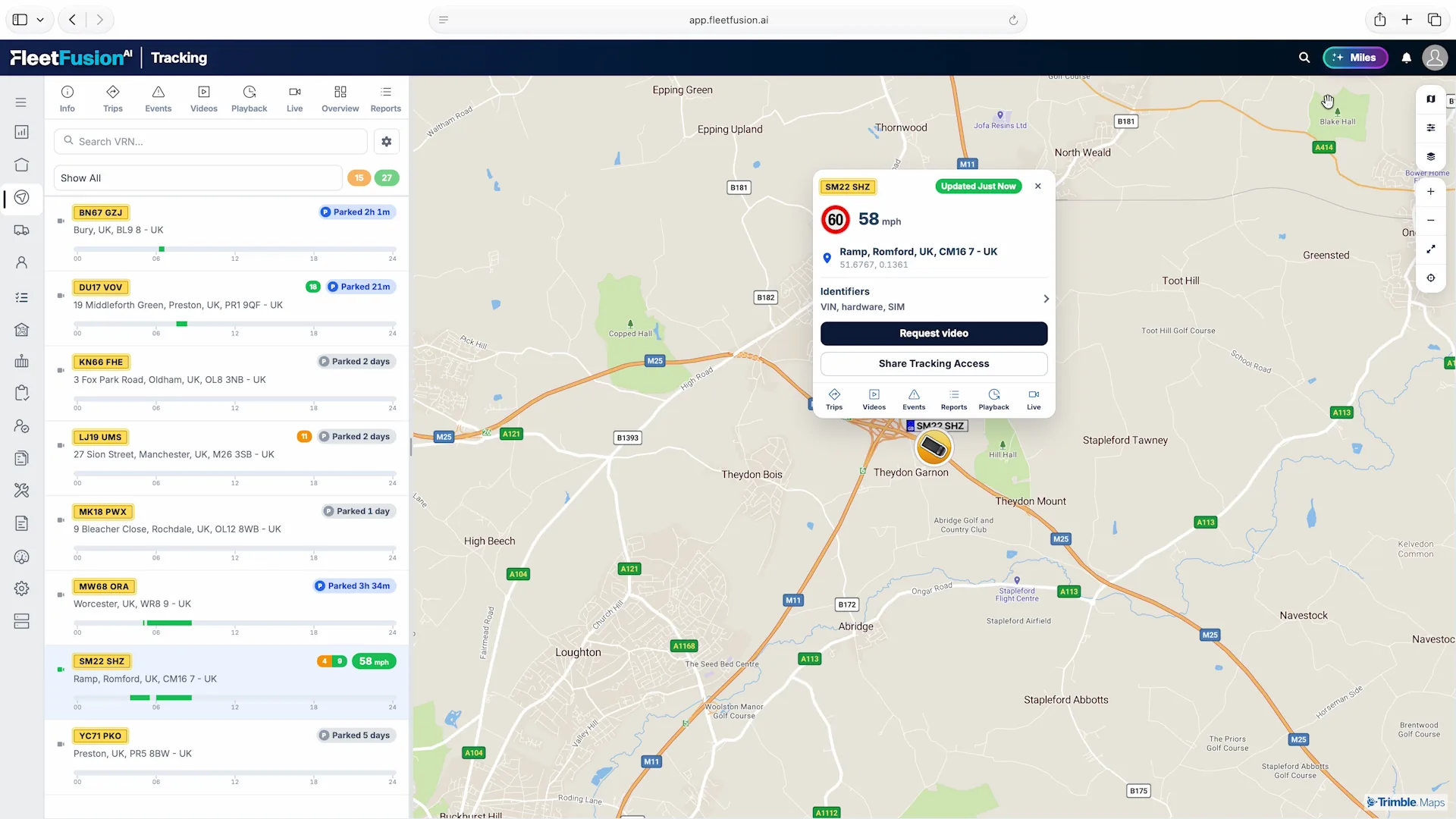
Search by registration, check moving and parked status, and review each vehicle’s latest location, speed and daily activity timeline.
Move into trips, events, playback and reports from the selected vehicle, keeping the location and vehicle context together.
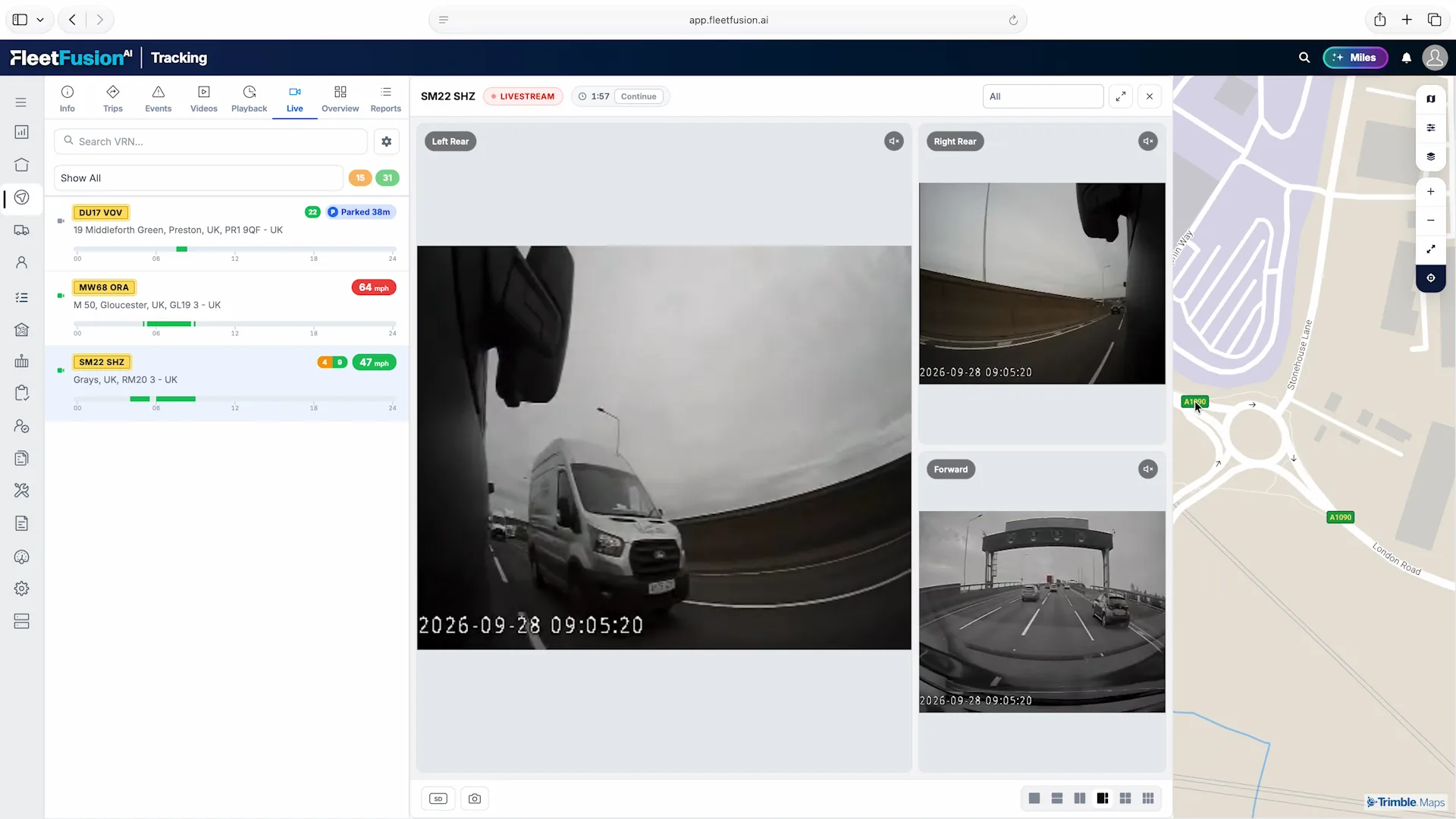
Request video or open supported live camera views from tracking. Review the footage alongside the vehicle and the place where it happened.
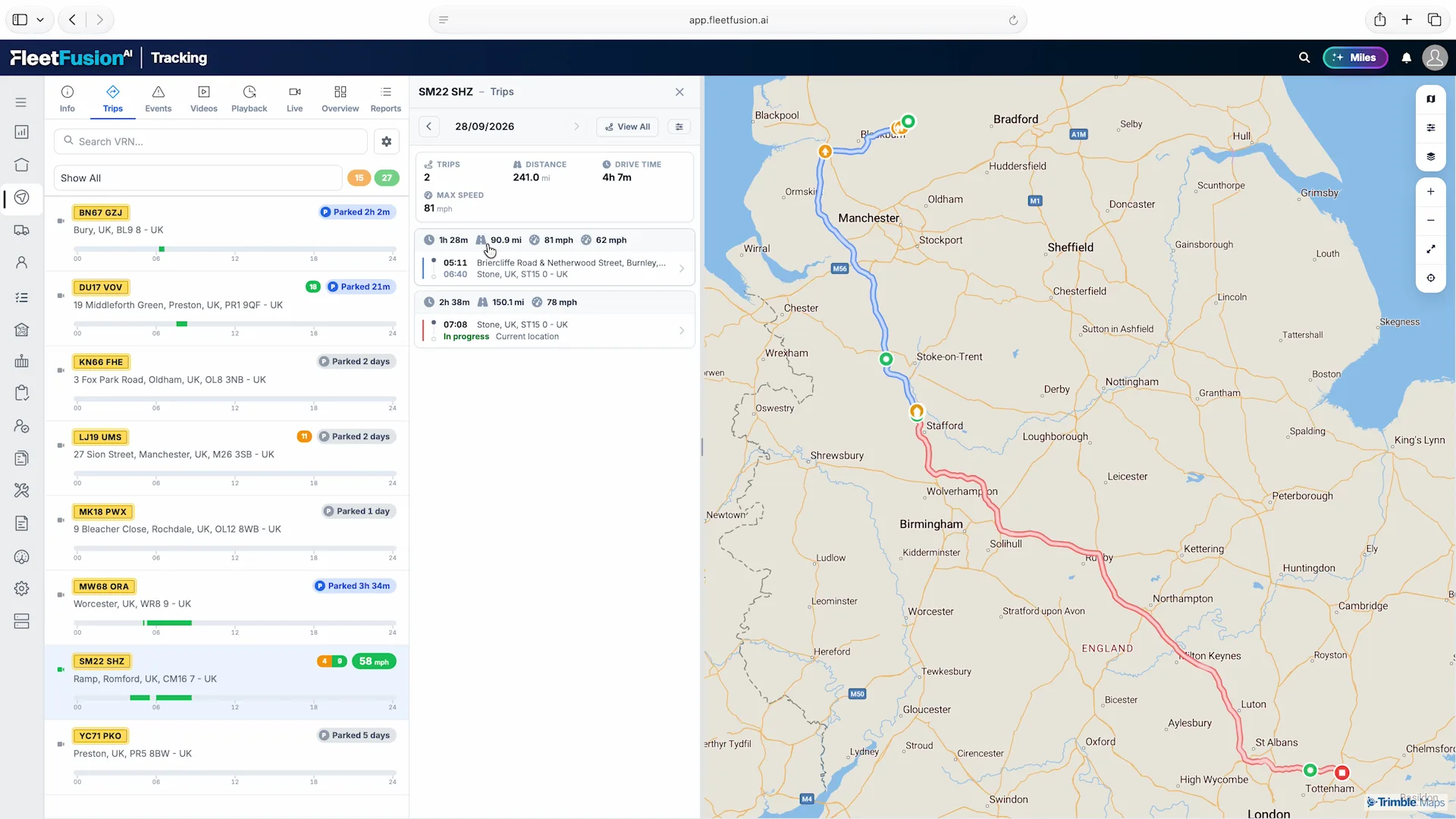
Review individual trips with start and end locations, departure and arrival times, distance, driving duration and speed summaries. See the journey on the map, including trips still in progress.
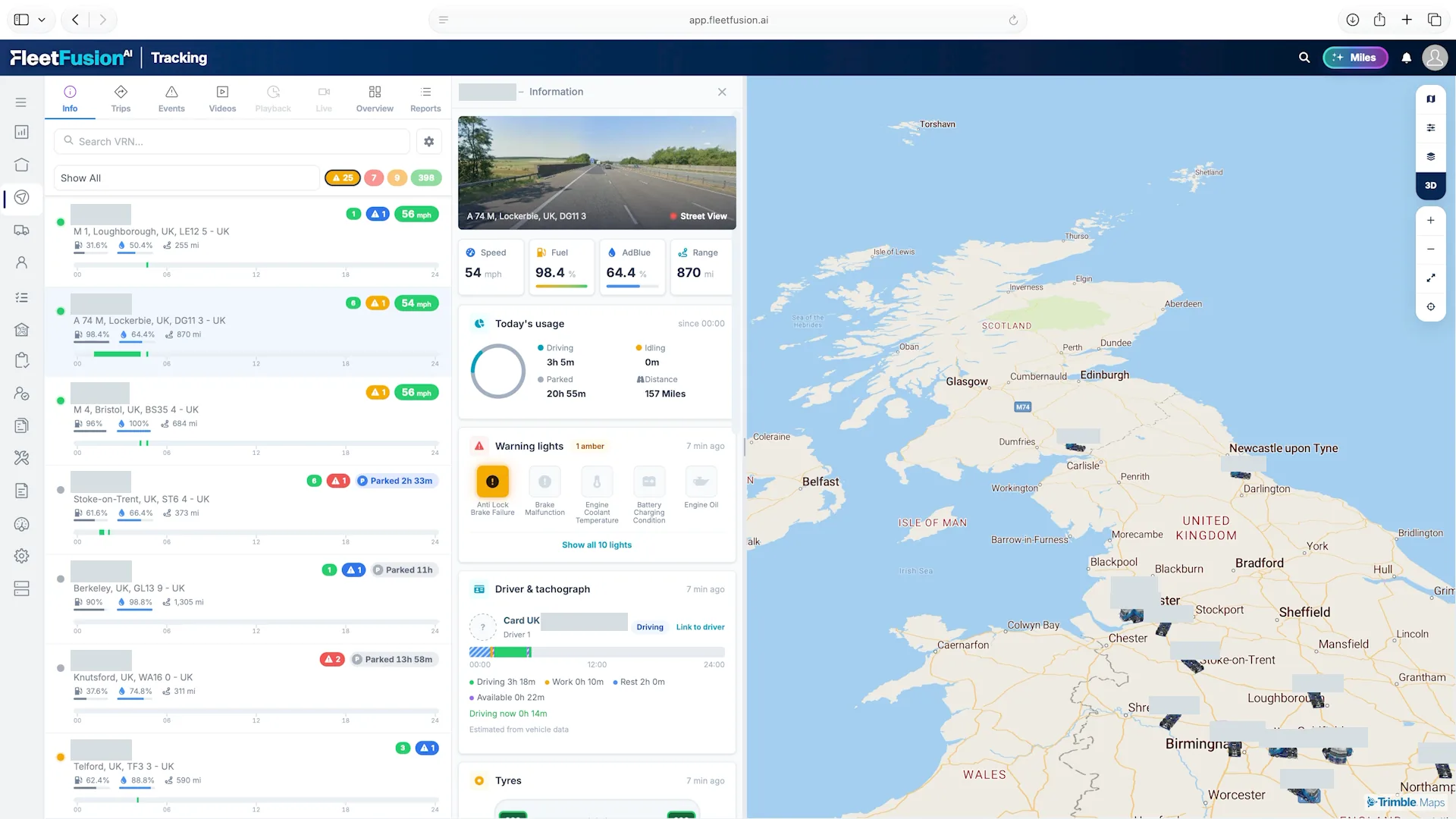
Bring available fuel, AdBlue, range, warning lights and driver activity into the tracking view. Give operations and maintenance teams the vehicle context they need to investigate an issue.
Available readings, update frequency and camera functions depend on the connected vehicle, device and provider. Street View supplies location context where shown.
Get more from the cameras and tracking hardware already fitted to your vehicles. FleetFusion Vision brings compatible dashcams, mobile DVRs and trackers together in one workspace, connecting video, location and events with the wider fleet record.
Connect supported cameras, DVRs and tracking devices through a direct device integration. Retain the equipment that works for your fleet and bring its available data into Vision.
Use supported provider APIs to bring existing camera and telematics services into FleetFusion. Connect the information your team needs without switching between separate systems for every vehicle.
Bring supported equipment from different manufacturers and providers into a shared view. Add FleetFusion hardware where you need new coverage, while keeping compatible devices already in service.
Find your model in the hardware directory, then confirm its connection and available features. Live video, remote retrieval, camera channels and event data vary by device, firmware and provider integration.
Road-facing and dual-lens cameras for connected journeys and driver events.
Record additional views around trucks, buses and specialist vehicles with a mobile DVR.
Check your exact model and supported features before bringing existing cameras and trackers into Vision.
Follow vehicles on the map, open the day’s trip activity and review movement and idle periods. Supported dashcams and DVRs add live streams and snapshots to the vehicle view.
Camera coverage depends on the installed lenses and channels. Where a camera snapshot is unavailable, a Street View image can provide location context; it is not live footage.
Review dashcam events across your fleet in one media view. Each event brings the camera footage together with its type, time, vehicle, driver and location, helping your team find the clips that need a closer look.
Available footage, event types and camera channels depend on the connected equipment and configuration.
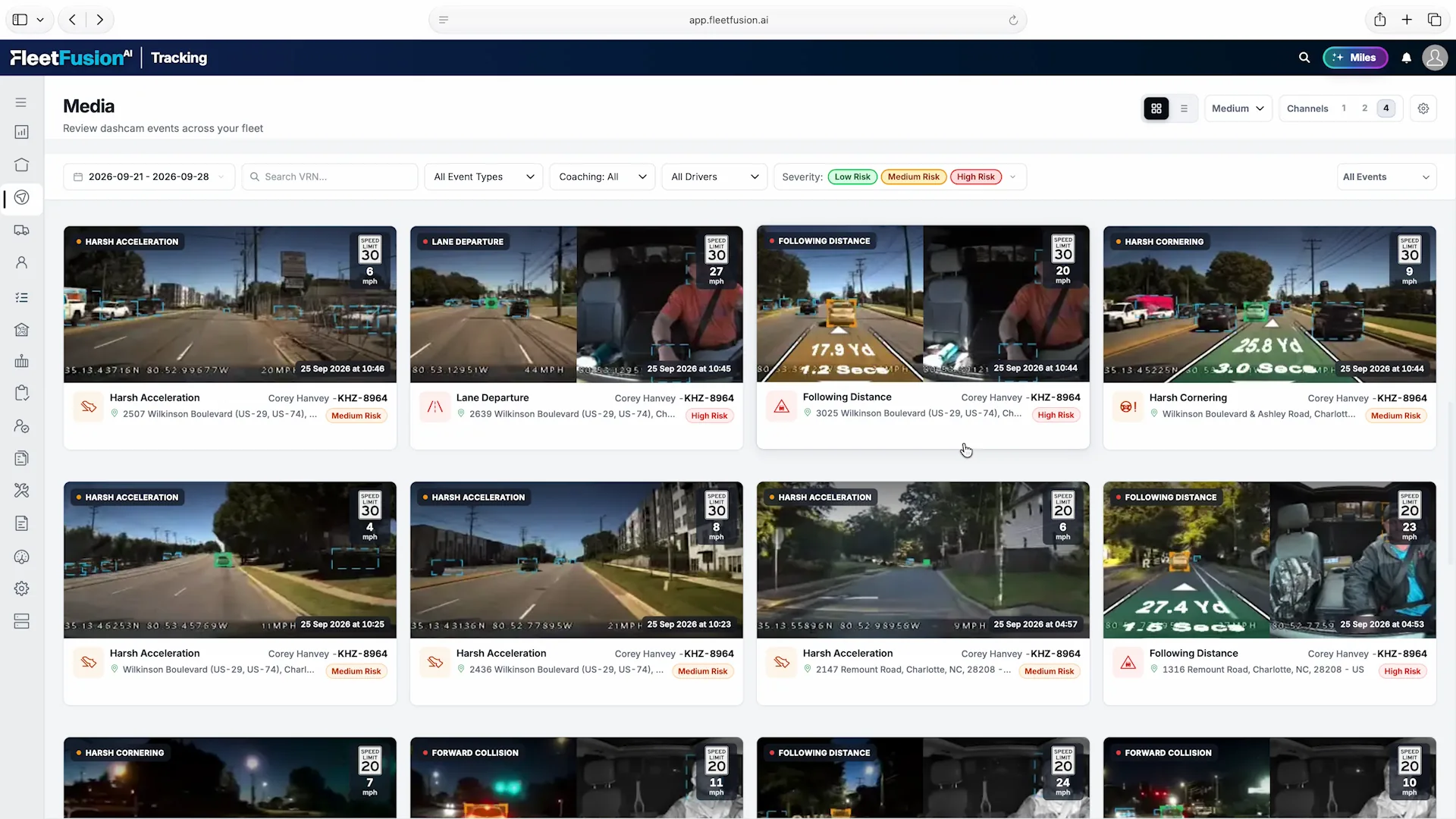
Use playback scrubbing to move through available recorded footage, review Media View previews and download clips needed for an incident. Supported hardware also offers remote wake-up and footage retrieval, depending on vehicle power, connectivity and the recordings available on the device.
The safety dashboard brings driver events together for follow-up. AI context and Clear Fusion filtering help organize supported video events and flag possible false positives for review.
Use the footage to understand the circumstances, coach the driver and keep relevant records. Human review remains important when assessing an event or responsibility.
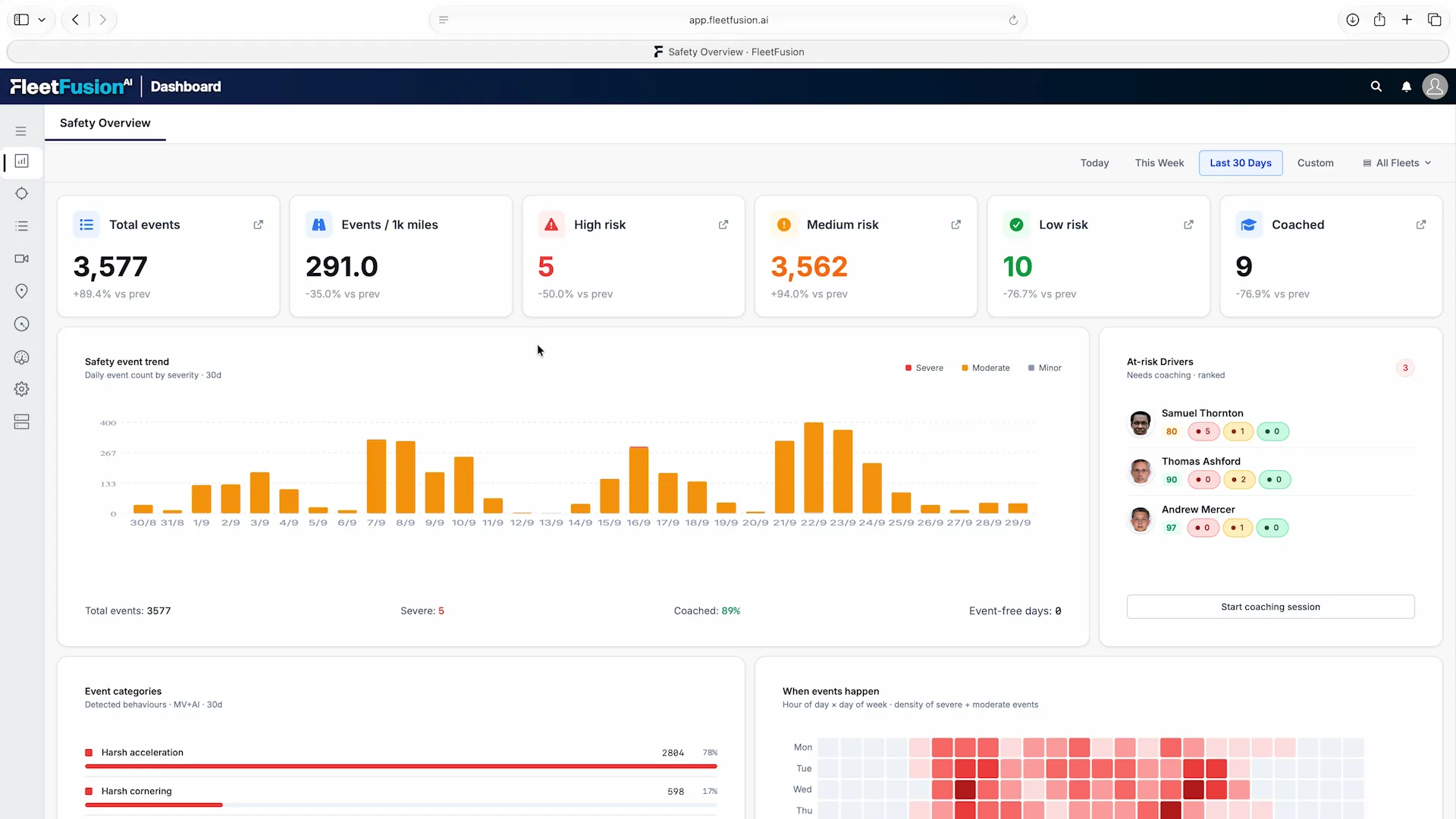
Review the seven-day vehicle overview and create quick reports. Use on-demand and scheduled reporting to keep the right people informed.
Import points of interest and use geofences to record arrival and departure events. Available event video adds context to the location record.
Bring supported ADAS alerts into the event view. Low-bridge warnings and trailer-height inputs depend on the selected equipment and configuration.
Supported direct-device and API integrations bring camera and tracking information into FleetFusion. Confirm the available data, permissions and features for each integration.
The Geotab add-in places FleetFusion video within MyGeotab. Streamax integrations connect compatible camera hardware. Wider FleetFusion modules link the operational picture to checks, maintenance, assets and compliance management.
Start with the vehicle, time or reported event. Bring location and journey context into the review so the team can understand where the recording fits.
Use supported dashcam and DVR footage to examine the incident. Compare the available views before drawing conclusions, including the circumstances around a flagged driving event.
Use the review to support driver coaching, incident handling or a maintenance investigation. Keep the evidence connected to the operational record and share it only with the appropriate people.
During scoping, confirm camera channels, event types, live viewing, remote retrieval, storage and connectivity for your exact equipment. Video availability depends on recording, device configuration and network conditions.
Check Your Existing Devices →Open a video event, check where it happened and look at the vehicle behind it. The FleetFusion app brings camera footage and fleet activity together when you are away from your desk.
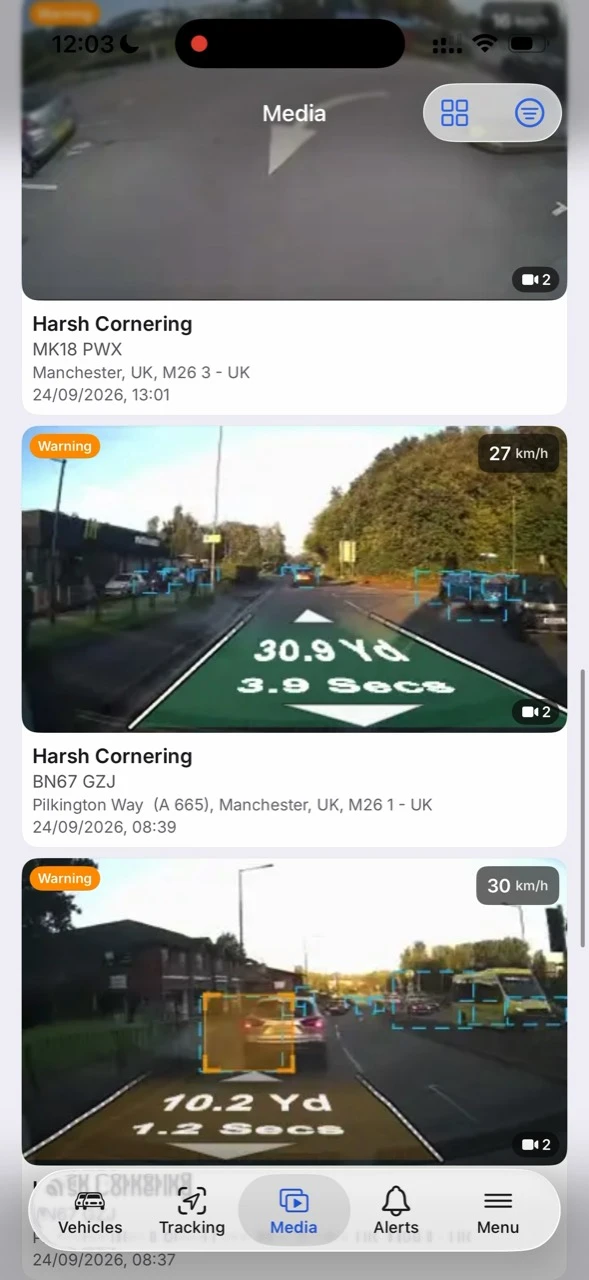
Browse recorded events with footage, time, location and vehicle details together.

Bring the latest camera snapshot, vehicle location and usage summary into one view.

View your fleet on the map and identify the vehicle you need to investigate.

Review the route alongside trip distance, duration and maximum speed.

Find a vehicle by registration, driver or location, then check its status and daily activity.
Swipe to explore the app. Camera features depend on the connected equipment and configuration.
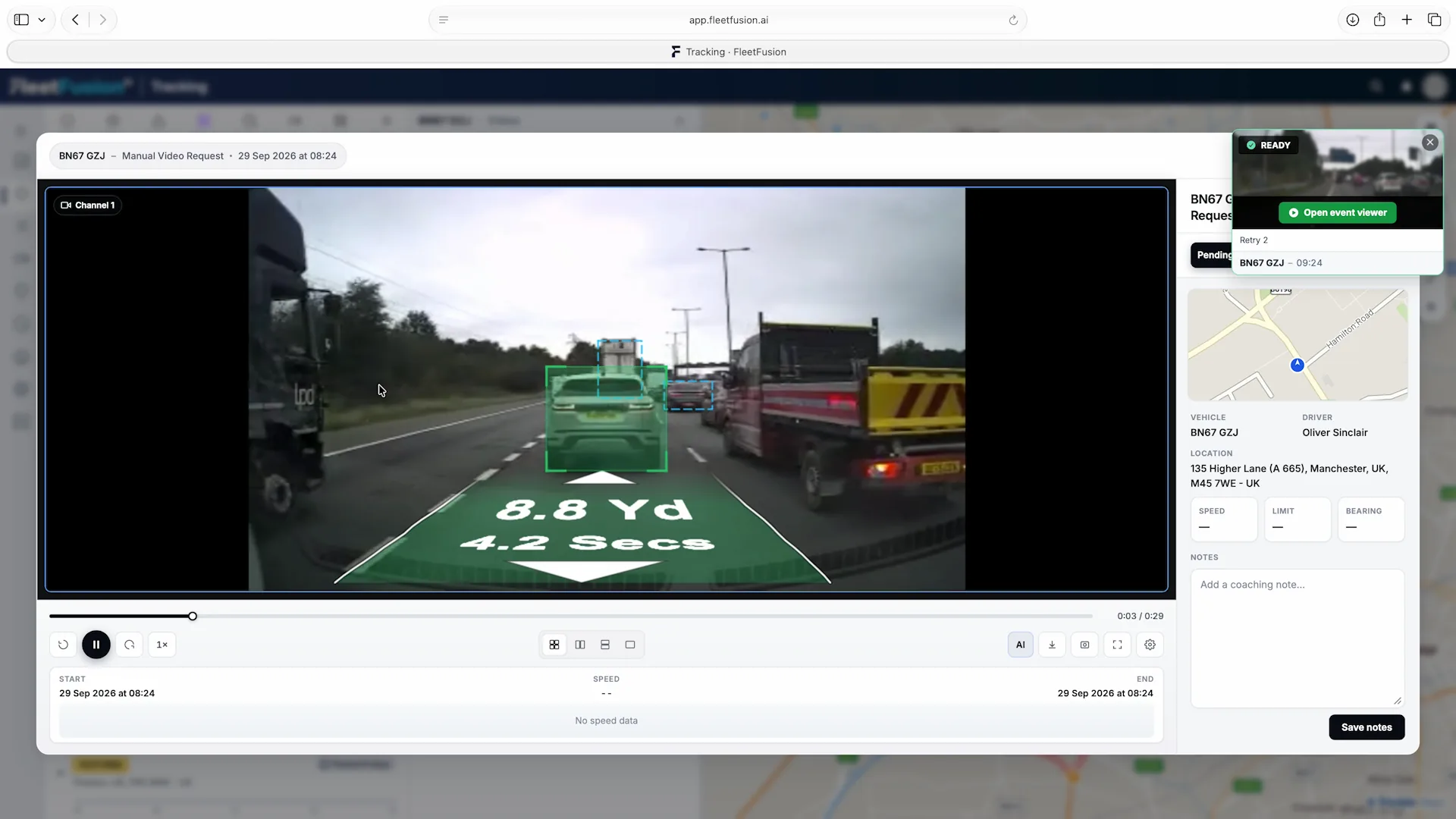
Open retrieved footage with the vehicle, driver, location and timeline alongside it. Review what the camera recorded and add notes while the journey context is still in view.

Review synchronized road-facing and in-cab footage together. The event view brings the location, speed and risk label alongside the video, helping a reviewer decide whether coaching or further investigation is appropriate.
A clip is easier to understand when the vehicle, event, time and location are beside it. FleetFusion’s media review brings those details together so the person assessing the event can work from the same context as the fleet team.
Information Becomes Action
Narrow the media view by vehicle, time period and available event filters. Use event thumbnails to find the part of the day that needs attention.
Open the event for the clip, map and event details. Use the evidence to distinguish a genuine coaching opportunity from an event that needs a closer review.
Bring reviewed events into coaching sessions or the incident process. Record notes and the outcome so the next person can see what was done.
FleetFusion media review displays event footage with vehicle and location context.
Yes. Explore the FleetFusion dashcam and mobile DVR ranges, then choose the camera coverage and accessories needed for your vehicles.
Compatible models can connect through supported device or provider integrations. Check the device directory and confirm the exact model, firmware and required features before migration.
No. Live streaming, snapshots, remote wake-up, AI events and recording retrieval vary by hardware, installation and integration.
Clear Fusion helps organize supported video events using AI context and filtering. Review the footage and circumstances before making decisions about an incident.
Immediate access requires connectivity and suitable device power. Remote wake-up is available on supported equipment; retrieval also depends on whether the requested footage remains stored.
Yes. The FleetFusion Geotab add-in brings video workflows into MyGeotab. Confirm the connected camera models and integration scope for your deployment.