
In-Cab Feedback
Supported systems provide audible alerts, with visual or optional haptic feedback depending on the installation.
Driver Monitoring
Driver-facing camera technology highlights supported signs of fatigue and distraction, with alerts and video context for follow-up.
Supported systems provide audible alerts, with visual or optional haptic feedback depending on the installation.
Combine the alert with available video and journey information before deciding what happened.
Turn reviewed events into practical conversations and track recurring behavior with the driver.
Camera position, driver visibility, device capability and configured thresholds affect monitoring. Select the installation around the vehicle, driver and working environment.
Monitoring supports your safety process; it does not replace rest, attentive driving or a human review of alerts. Agree recording access and retention as part of deployment.
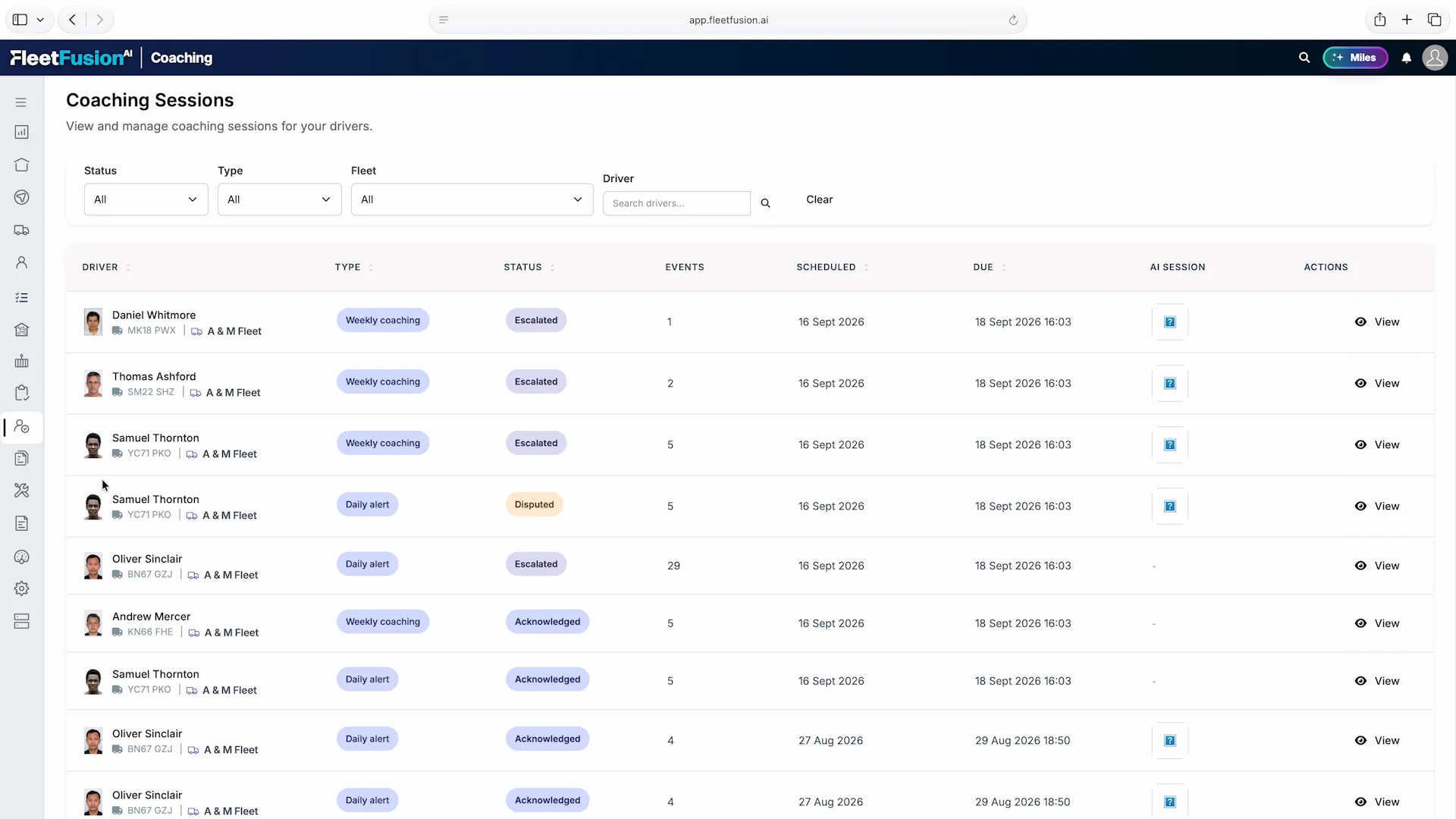
Bring weekly coaching and daily alerts into a shared session list. Filter by driver, fleet, type or status to see what is due and which conversations have been acknowledged, disputed or escalated.
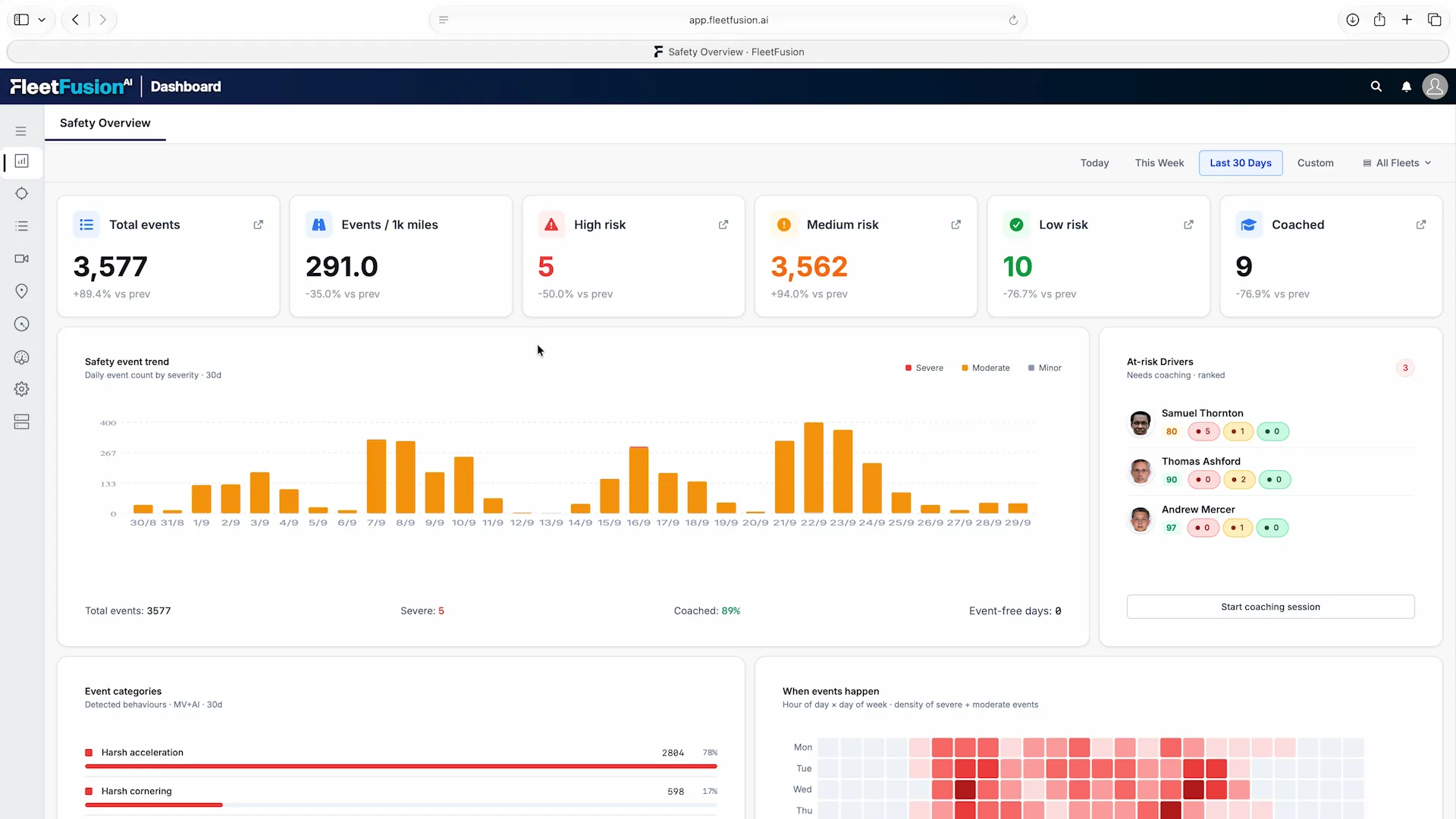
Review events by severity and over time, alongside drivers flagged for follow-up. Event rates per distance help put activity in context, while coaching indicators show what has already received attention.
Driver-monitoring events become useful when the team can review the evidence, hear the driver’s explanation and choose the right response. FleetFusion connects available device events with its media and coaching workflow.
Information Becomes Action
Filter events by driver, vehicle, period and severity. Open the footage and location before deciding what an alert means.
Acknowledge an event, mark a false positive or flag it for coaching. Keep the review decision with the event.
Bring relevant events into the driver’s session, record notes and track acknowledgement. Review progress through the driver’s coaching history.
Coaching sessions help safety teams follow events through to a recorded response.
Open the screenshot to explore the details at full size.